 Edith
Codex usage limits on Mac
Codex on your Mac
Codex's 5-hour and weekly limits in the menu bar, local and Codex Cloud history, a board that launches Codex with your model and effort, and every Edith command as an MCP tool.
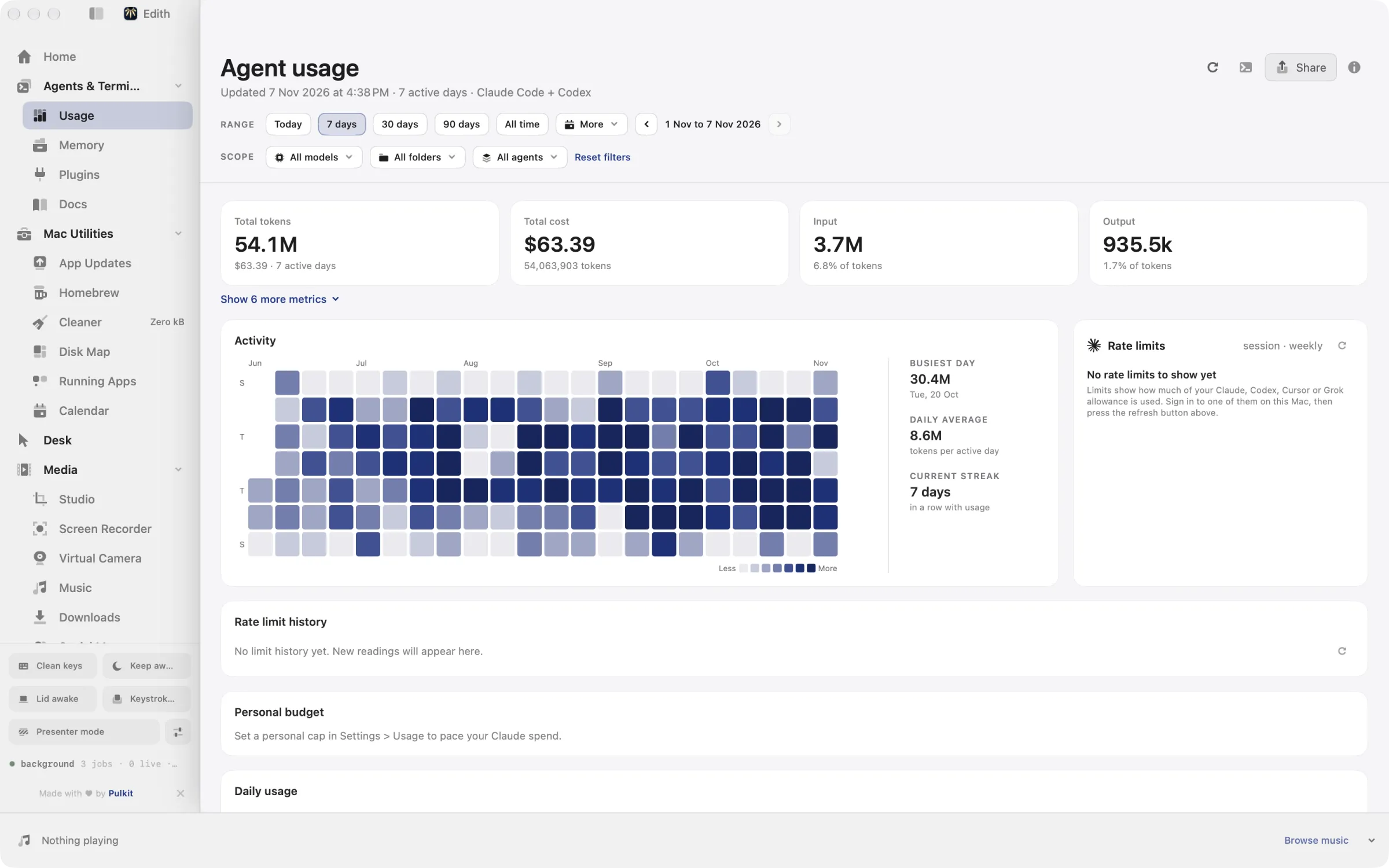
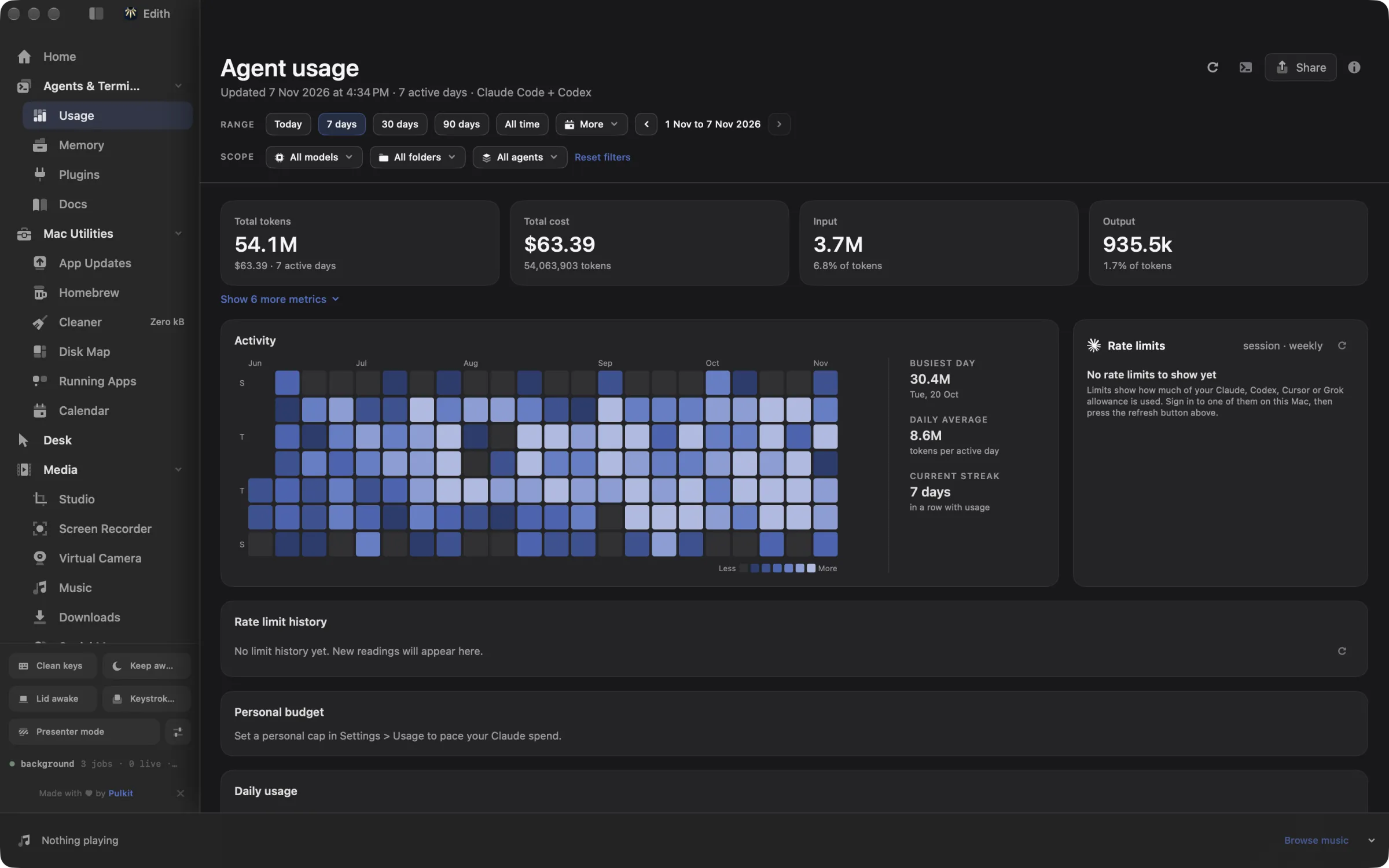
Rate limits
Codex limits, read from Codex itself.
To read your limits, Edith starts codex app-server and asks it for your account's rate limits. It shows the 5-hour and weekly windows with their reset times, and can add your credits balance to the menu bar readout.
Limits are polled in the background and kept as history, so you can see how a week went, not just where it stands now.
- The same thresholds, pacing tint and optional alerts as every other provider.
- Turn Codex limits off on their own with
ed config set codexLimitsEnabled false.
ed usage limits
ed usage limits --refreshHistory
Local sessions and Codex Cloud.
Usage reads Codex sessions from ~/.codex/sessions and ~/.codex/archived_sessions, or from CODEX_HOME when you set it. Codex's session metadata ties costs to repositories.
Codex Cloud tasks come in as their own source through your codex login. Coverage is partial: Edith counts tasks launched from the web, mobile and integrations, and leaves out cloud tasks started from the desktop app or the CLI, because those surfaces also contain usage already counted from local sessions.
- Cost and tokens by day, model and repository.
- Codex on your SSH machines is collected over SSH and added in.
ed usage daily
ed usage models
ed usage projects listWorkspaces
Codex agents side by side.
Start Codex from the Agents board: pick a machine, a space and a model. Edith reads Codex's own model list from ~/.codex/models_cache.json, or asks codex debug models, and passes the model, reasoning effort and fast service tier as launch flags.
Save launch defaults per agent, split agents beside each other, gather every tab into one, and save the layout to bring it back later.
- Fast mode is offered only when the model advertises a fast service tier.
- Pick an SSH machine and Edith asks the Codex CLI on that machine for its models.
ed herdr models codex --refresh
ed herdr defaults ls
ed herdr layout lsApprovals
Approve Codex from Edith.
Turn on session activity for Codex and Edith adds its hooks to ~/.codex/hooks.json. Codex only runs them after you review and trust the exact hook commands in its /hooks view, so do that, then start or resume a session.
From then on the board shows when Codex is working, waiting for approval or finished. Turn on permission handling as well and Codex's approval requests appear in Edith with Allow once and Deny.
- Optional notifications when Codex finishes, hits an error or looks stuck for longer than the minutes you set.
- Type a follow-up into a Codex pane with
ed herdr send, now or once it finishes.
ed agent activity status
ed herdr send w3:p1N "run the tests" --when-finishedSkills
Edith skills for Codex.
The Plugins extension treats Codex as installed when its home folder exists, CODEX_HOME or ~/.codex, and writes Edith's skills for it into ~/.agents/skills.
From a script, name the agent with --agent codex. Without --yes the command prints the plan and writes nothing.
ed skills ls
ed skills install edith-remote-work --agent codex --yesMCP
Connect Codex to Edith.
Every extension you enable gives Codex tools it can call. Destructive commands and extension installs return a preview until the call passes confirm.
One step with Edith
Adds an edith entry for Codex, backs up an existing settings file first and keeps every other server.
With the Codex command
Registers the same server through Codex itself.
Or edit the file yourself
Add this to ~/.codex/config.toml. When CODEX_HOME is set, Edith edits config.toml in that folder instead.
[mcp_servers.edith]
command = "/Applications/Edith.app/Contents/MacOS/ed"
args = ["mcp"]
Restart Codex, then ask it to call edith_catalog.
Tool names, previews and the full list of prefixes are on the Edith MCP server page.
Extensions
Edith extensions for Codex.
Every extension is included in Edith, a one-time purchase from $35. See pricing.
Frequently asked questions
Where does Edith find my Codex history?
In ~/.codex/sessions and ~/.codex/archived_sessions, or in the folder CODEX_HOME points to. Press refresh on the Usage page, or run ed usage refresh, to collect it.
Why does Codex Cloud show less usage than I expected?
Edith reads Codex Cloud by launch surface. Cloud tasks started from the desktop app or the CLI are left out so they are not counted twice, and the provider may return only part of your older history.
Does Edith change my Codex config?
Only when you ask. ed mcp install --client codex adds an [mcp_servers.edith] table to config.toml and keeps a .edith-backup copy first. Session activity writes hooks.json only after you turn it on.
How do I connect Codex to Edith over MCP?
Run ed mcp install --client codex or codex mcp add edith -- /Applications/Edith.app/Contents/MacOS/ed mcp, then restart Codex. The MCP server page has the config block.
More for coding agents
- MCP Server for Mac: Let Claude Code Drive Your MacInstall blocks for Claude Code, Codex, Cursor and VS Code, every tool prefix, and how previews and confirm work.
- How to Check Codex Usage Limits on MacCheck Codex usage limits on your Mac with /status and the ChatGPT usage dashboard, or keep the 5-hour and weekly Codex limits in the menu bar.
- ccusage Alternative for Mac: Menu Bar Usage TrackerA ccusage alternative for Mac: Claude Code and Codex cost and live rate limits in the menu bar, with alerts and SSH fleet totals. Paid once, with a CLI.
- Claude Code on Mac: Usage, Limits and MCPSession, weekly and Fable limits in the menu bar, cost by repository, several Claude accounts, permission prompts you can answer from Edith, and every Edith command as an MCP tool.
- Coding Agent Tools for Mac: Claude, Codex, CursorUsage and limits, the Agents board, code review, skills and the ed command line in one place.
Updated

Get Edith.
From $35 once. No subscription. No account.
Needs a license key · macOS 14 or later on Apple silicon · 6.4 MB