 Edith
Agents
Run multiple Claude Code agents from one dashboard
See every coding agent on your Macs in one board, and step in when one needs you.
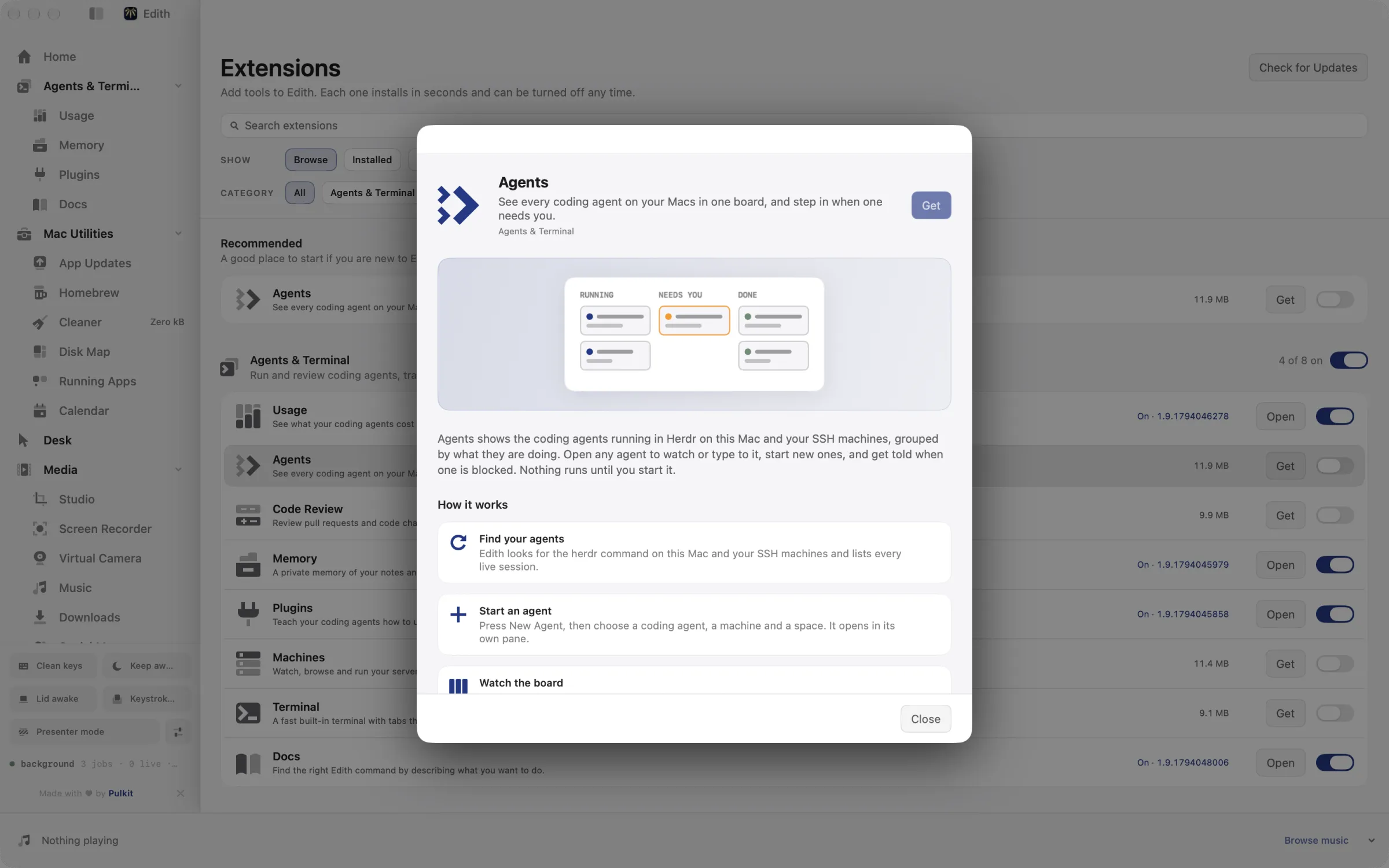
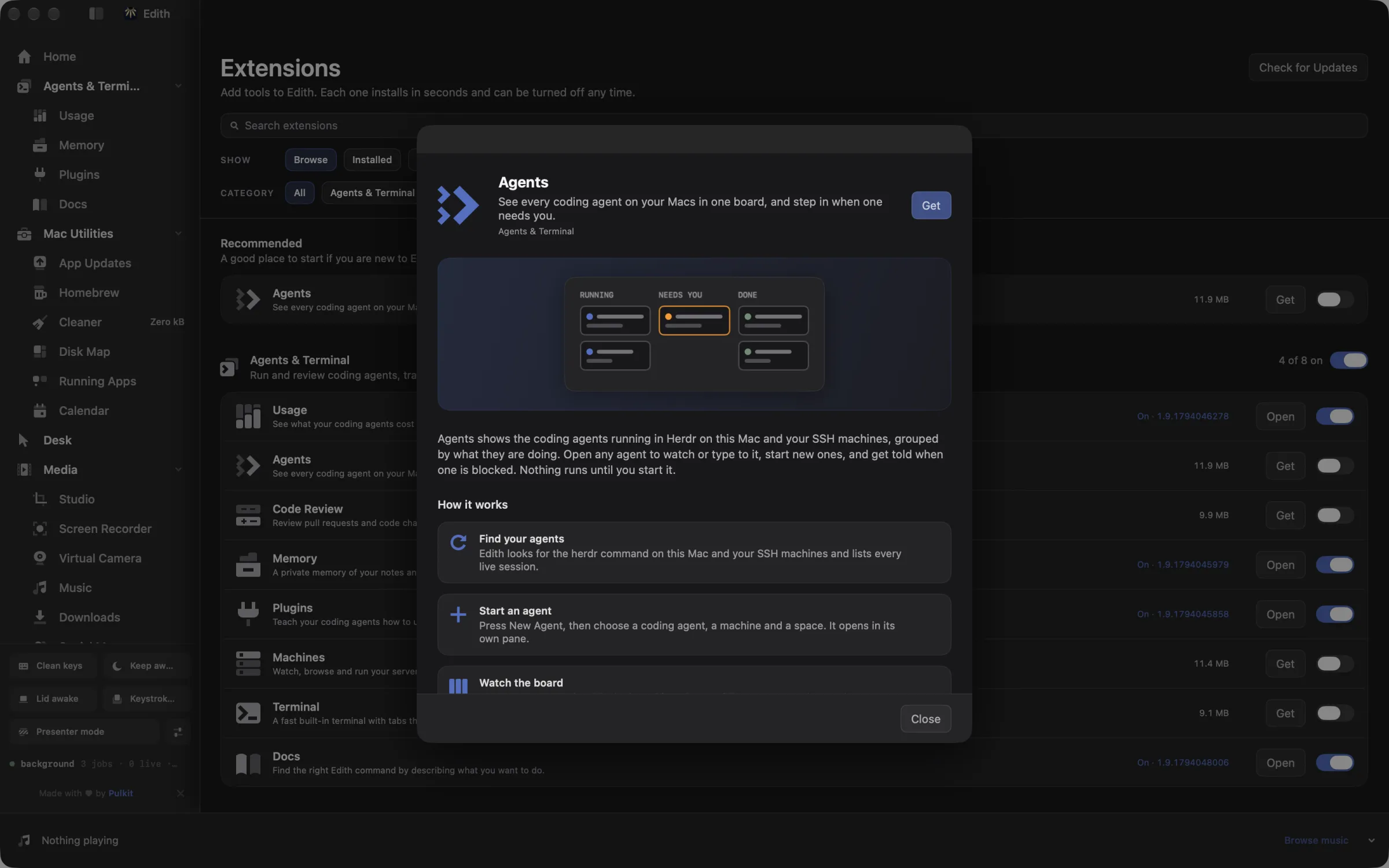
Agents is an Edith extension that starts coding agents such as Claude Code and Codex in their own terminal panes and shows every live session, on this Mac and your SSH machines, on one board sorted by who needs you.
Running three or four agents in parallel is normal now. The hard part is noticing that one of them stopped twenty minutes ago to ask a question. Agents gives each session a card and groups the cards as blocked, working, done or idle, with blocked first. Open a card to read the agent's terminal, answer its question or type a new instruction. Once you connect an agent's hooks in settings, permission requests also show up as cards with Allow once and Deny buttons, so you can approve a command without hunting for the right pane.
Sessions run inside herdr, a separate open-source terminal manager that keeps agents alive in panes you can leave and come back to. Edith installs it on this Mac with one click, and machines you add in Machines need their own copy. New Agent asks for the agent, the machine and a space, then opens it in a pane with the model, effort and fast-mode defaults you saved for that agent kind. It can start Claude Code, Codex, OpenCode, Cursor Agent, Pi, Gemini and Amp, and you can keep several Claude accounts and pick which one a new Claude Code session uses.
Notifications cover the moments that matter: an agent needs approval, finishes, hits an error, or, if you turn it on, looks stuck after a number of quiet minutes. Search finds an open agent by what was said in its history, which helps once you have a dozen panes named after branches. Nothing runs until you start it.
Updated
How to run and watch several coding agents at once on Mac
- 1
Find your agents
Edith finds the agents running on this Mac and your other Macs and lists every live session.
- 2
Start an agent
Press New Agent, then choose a coding agent, a machine and a space. It opens in its own pane.
- 3
Watch the board
Agents are grouped as blocked, working, done or idle so you see who needs you.
- 4
Step in
Open an agent to read its terminal, answer a question, or send it a message.
What it does
Start a coding agent
Pick an agent, a machine and a space, and it opens in its own pane.
See which agent needs you
Blocked, working, done and idle agents on one board.
Answer an agent
Open an agent to read its terminal and reply.
Does macOS do this already?
Can macOS manage several coding agents by itself?
Only as separate windows. Terminal.app tabs, or tmux in Terminal, will run as many agents as you like, but nothing tells you which one is waiting for you, and each approval prompt only appears in its own pane. Agents adds the board, blocked-first sorting, approvals from one place, notifications when an agent needs you, and scheduled messages.
Use cases
Split one feature across several agents
Start Claude Code on the API change, Codex on the tests and OpenCode on the docs, each in its own pane in the same space. Save the split as a named layout with ed herdr layout save, and apply it the next time you fan out a feature the same way.
Queue a follow-up for when an agent finishes
Tell every working agent what to do next without waiting at the keyboard. ed herdr send all ship it --when-finished types the message into each agent as it finishes, and --in or --at schedules it for a time instead. ed herdr hooks ls shows what is still waiting to be sent.
Watch agents running on a build server
Agents started on a Linux box you added in Machines appear on the same board as the ones on your laptop, with the machine named on each card. Open one to read its terminal and reply, exactly as you would locally.
Keep work and personal Claude accounts apart
Save each Claude account once in settings, by signing in with your subscription or reusing the current CLI login. When you start a Claude Code agent, choose the account it should run under, so a client project never draws on your personal plan.
From the terminal and your coding agents
Every example returns JSON with --json, and agents can call the same thing over MCP.
$ ed herdr ls
$ ed herdr models
$ ed herdr defaults ls
$ ed herdr layout ls| Command | MCP tools |
|---|---|
ed herdr | edith_herdr_* |
Connect Claude Code, Codex, Cursor or another client through the Edith MCP server.
Permissions and requirements
Permissions
- No Accessibility or Screen Recording permission
- Notifications, for blocked, finished and error alerts
Requirements
- macOS 14 or later on Apple silicon
- herdr, which Edith installs with one click
- At least one coding agent CLI, such as Claude Code or Codex
- The Machines extension and SSH access, for agents on other computers
Recent changes
- FixedOAuth and API key accounts are no longer tied to one machine, and accounts load before the menu opens.v1.0.13,
- FixedAgent shortcuts keep working after you leave Agents and come back.v1.0.12,
- FixedAgent tabs, shortcuts and terminals work as they did before the marketplace.v1.0.11,
- FixedRestart in Account lists accounts bound to another machine.v1.0.4,
- FixedAgent menus stay open and usable while agents update.v1.0.0,
Frequently asked questions
Is Agents the same as the open-source herdr project?
No. Agents is Edith's dashboard. It uses herdr underneath to keep sessions running in panes and installs it for you. The board, approval cards, notifications, scheduled messages, layouts and ed herdr commands come from Edith.
Which coding agents can it start?
Claude Code, Codex, OpenCode, Cursor Agent, Pi, Gemini and Amp. ed herdr models lists each agent's models, effort levels and fast mode, and ed herdr defaults set chooses what Edith passes when it starts that kind of agent.
Can I approve a Claude Code permission request without switching windows?
Yes, after you connect the agent's hooks. Settings shows the exact hook changes before writing them, and you can remove them again later. Requests then appear as cards with a countdown and Allow once or Deny.
Can one coding agent control the others over MCP?
Yes. The ed herdr commands are tools in Edith's MCP server: edith_herdr_ls lists live sessions, edith_herdr_send types a message into an agent, and edith_herdr_layout_apply arranges a tab. Tools that change or close something show a preview until the call confirms it.
Do agents start on their own?
No. Edith finds sessions that are already running and lists them, but it only starts an agent when you press New Agent or run a command that starts one.
Is Agents included in Edith's one-time price?
Yes. Agents comes with every Edith license, and herdr itself is free and open source. You still need your own plan or API key for each coding agent you run.
Guides
- How to Check Claude Code Usage Limits on MacCheck Claude Code usage limits on your Mac with /usage, claude.ai settings and the status line, or keep the 5-hour and weekly limits in the menu bar.
- How to Check Codex Usage Limits on MacCheck Codex usage limits on your Mac with /status and the ChatGPT usage dashboard, or keep the 5-hour and weekly Codex limits in the menu bar.
- How to Run Multiple Claude Code Agents on MacRun several Claude Code agents in parallel on a Mac with git worktrees and agent view, then watch every agent on one board and answer the blocked ones.
Compare and alternatives
- Edith vs Raycast: One-Time Mac Toolkit ComparedEdith vs Raycast on Mac: a free launcher with paid AI plans, or one payment for a launcher plus agent usage, MCP control and Mac utilities.
- Edith vs Alfred: Mac Launcher and Toolkit ComparedEdith vs Alfred for Mac: a free launcher with a paid Powerpack and a deep workflow ecosystem, or a launcher plus agent tools, MCP and Mac utilities.
- ccusage Alternative for Mac: Menu Bar Usage TrackerA ccusage alternative for Mac: Claude Code and Codex cost and live rate limits in the menu bar, with alerts and SSH fleet totals. Paid once, with a CLI.
- Amphetamine Alternative: Keep Mac Awake for AgentsAn Amphetamine alternative for Mac: keep a MacBook running with the lid closed while agents and builds finish, with timers, battery floors, CLI and MCP.
Used in
More in Agents & Terminal

Get Edith.
From $35 once. No subscription. No account.
Needs a license key · macOS 14 or later on Apple silicon · 6.4 MB