 Edith
Lid Awake
Keep a MacBook awake with the lid closed
Close the lid and your MacBook keeps working: builds finish, downloads complete and agents carry on.
Lid Awake is an Edith extension that stops a MacBook from sleeping when you close the lid, with no external display needed. A session can end on a timer, when the lid opens again, or when the battery drops below a floor you set.
macOS puts a MacBook to sleep the moment the lid closes, unless it is in clamshell mode, which needs a power adapter, an external display and an external keyboard or mouse. That leaves out the most common case: you want to shut the laptop, move it out of the way and let a long build, a large download, a remote session or a set of coding agents keep going. Lid Awake turns that into one switch on Home, in the notch or in the terminal.
Under the hood it changes the same system power setting you could flip by hand with pmset disablesleep, but through a small helper you approve once in Login Items, so you never type sudo. Edith keeps track of the session and puts normal lid-close sleep back when you turn it off, when a timer runs out, and by default when Edith quits. You choose how long a session lasts: until you turn it off, 15 minutes, 30 minutes, 1 hour, 2 hours, or until the lid closes and opens again.
A closed MacBook still draws power and gives off heat, so Lid Awake has two safety nets. A battery floor pauses it when the charge falls below the percentage you pick, and Edith's battery saver switches it off while you are unplugged unless you allow it on low battery. Before it turns on, Edith reminds you not to put the Mac in a bag. It is meant for a laptop on a desk or a stand.
Updated
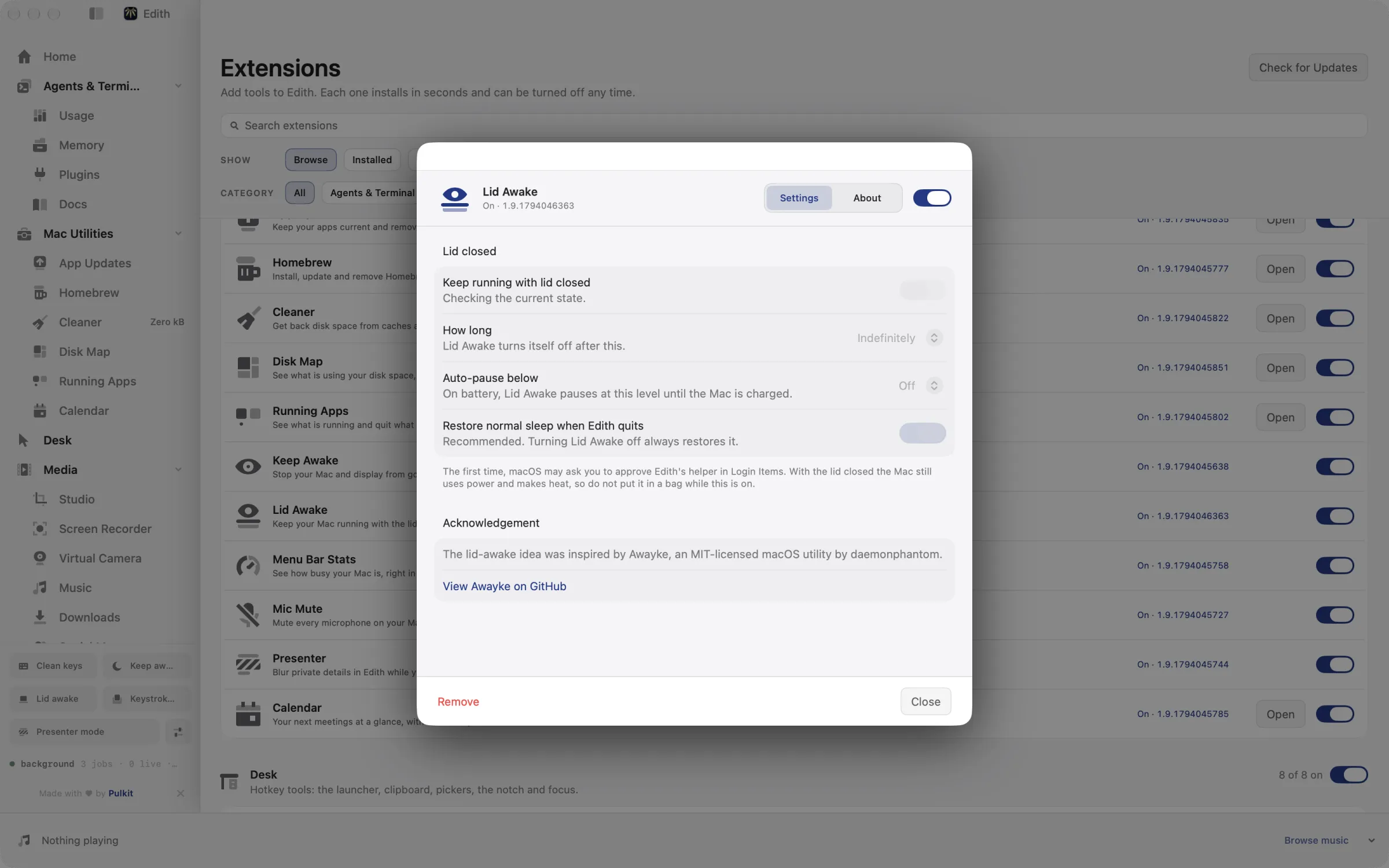
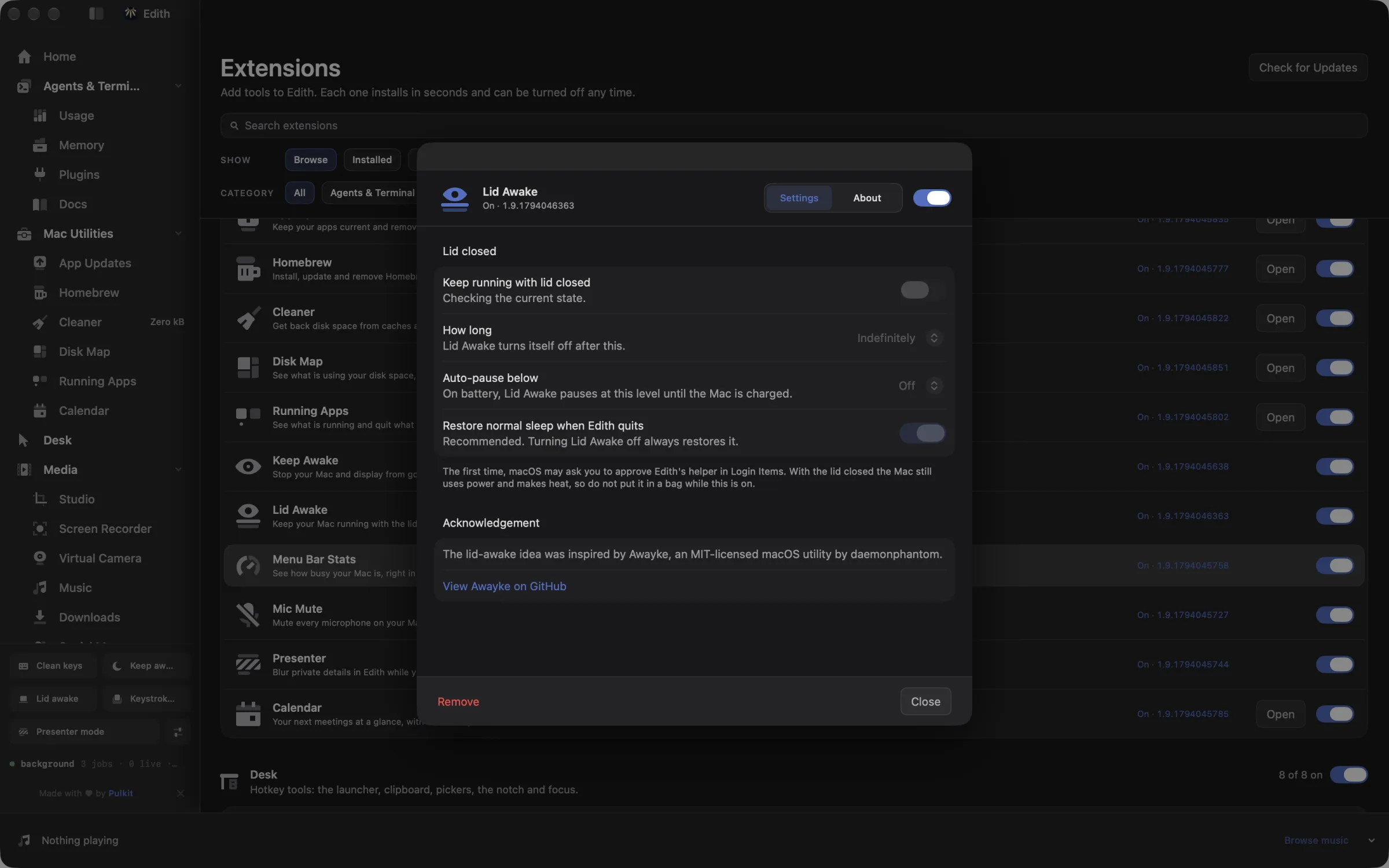
How to keep a MacBook running with the lid closed
- 1
Approve the helper once
macOS asks you to allow Edith's background helper in Login Items.
- 2
Choose how long
Pick a session: until you turn it off, a set time, or until the lid reopens.
- 3
Stay safe on battery
Set a battery floor so it pauses before the battery runs flat.
What it does
Keep running with the lid closed
Builds, downloads and agents keep going when you close the lid.
Does macOS do this already?
Can a MacBook stay awake with the lid closed without extra software?
Partly. Apple's clamshell mode keeps a closed MacBook running only while it is connected to power, an external display and an external keyboard, mouse or trackpad. Without a display there is the Terminal route, sudo pmset -a disablesleep 1, which works but stays on until you run it again with 0 and pays no attention to the battery. Lid Awake uses that same system setting through an approved helper, adds timed sessions and a battery floor, and restores normal sleep when the session ends.
Use cases
Let coding agents finish overnight
Start your Claude Code or Codex sessions, run ed lid-awake on --yes, close the lid and go to bed. If the charger is not connected, set ed lid-awake battery 20 first so the Mac pauses before the battery runs flat.
Carry the laptop without stopping a transfer
Closing the lid to walk to another room normally interrupts an upload or a large download. A 30 minute or 1 hour session keeps it going and ends on its own, so you do not have to remember to switch it back.
Run the MacBook as a closed build or SSH box
With the lid shut on a stand, the Mac keeps serving builds, tests or an SSH session you reach from another computer. The until-the-lid-reopens session restores normal behaviour as soon as you open it again.
From the terminal and your coding agents
Every example returns JSON with --json, and agents can call the same thing over MCP.
$ ed lid-awake status
$ ed lid-awake on --for 1h
$ ed lid-awake off| Command | MCP tools |
|---|---|
ed lid-awake | edith_lid_awake_* |
Connect Claude Code, Codex, Cursor or another client through the Edith MCP server.
Permissions and requirements
Permissions
- Approve Edith's background helper in Login Items the first time you turn Lid Awake on
Requirements
- A MacBook running macOS 14 or later on Apple silicon
- Edith running during a session; quitting restores lid-close sleep unless you change that
Recent changes
Frequently asked questions
Is Lid Awake the same as Keep Awake?
No. Keep Awake stops idle sleep while the lid is open, so the display stays on. Lid Awake stops the sleep that happens when you close the lid. Use Keep Awake for reading or presenting, and Lid Awake for work that should continue with the laptop shut.
Do I need an external monitor for it to work?
No, and that is the point of it. Apple's clamshell mode needs an external display and keyboard, while Lid Awake keeps the Mac running with nothing plugged in at all.
Is it safe to leave a MacBook running with the lid closed?
On a desk or a stand it is fine for most jobs, but the Mac keeps drawing power and producing heat. Never put it in a bag or a sleeve while a session is active, and set a battery floor when it is not on the charger.
What happens if I quit Edith during a session?
By default, quitting Edith restores normal lid-close sleep. You can turn that off with ed lid-awake restore-on-quit false --yes, but then you would have to restore lid-close sleep yourself.
Can Claude Code or another agent turn Lid Awake on?
Yes. Edith's MCP server provides edith_lid_awake_status, edith_lid_awake_on and edith_lid_awake_off. Turning it on changes power settings, so the request is previewed first and only applied after confirmation, just like ed lid-awake on --for 1h without --yes.
Does Lid Awake cost extra on top of Edith?
No. Lid Awake ships as one of Edith's extensions and is covered by the same one-time purchase as the rest of the app.
Guides
Compare and alternatives
Used in
More in Mac Utilities

Get Edith.
From $35 once. No subscription. No account.
Needs a license key · macOS 14 or later on Apple silicon · 6.4 MB