 Edith
Claude Code usage tracker for Mac
Claude Code on your Mac
Session, weekly and Fable limits in the menu bar, cost by repository, several Claude accounts, permission prompts you can answer from Edith, and every Edith command as an MCP tool.
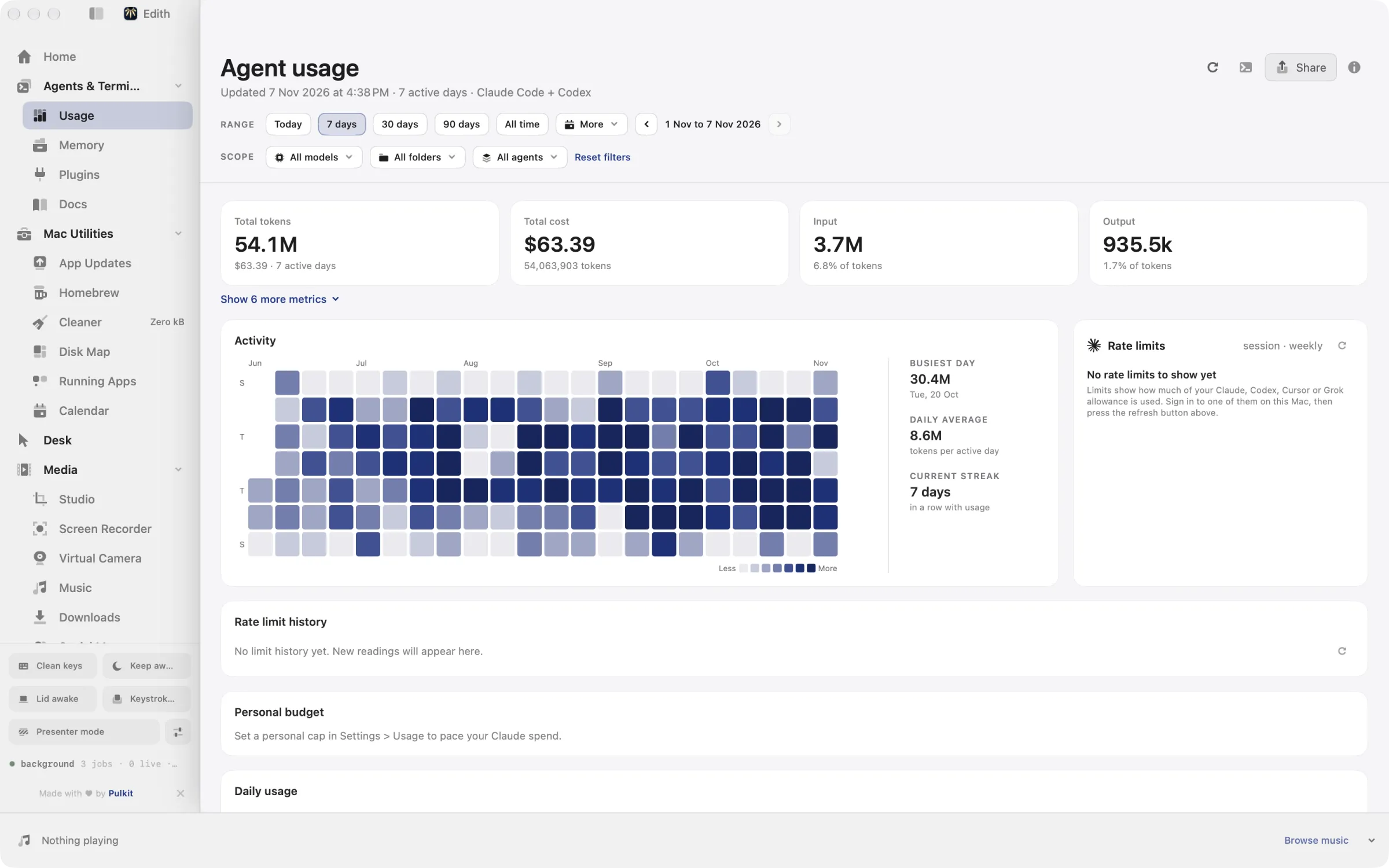
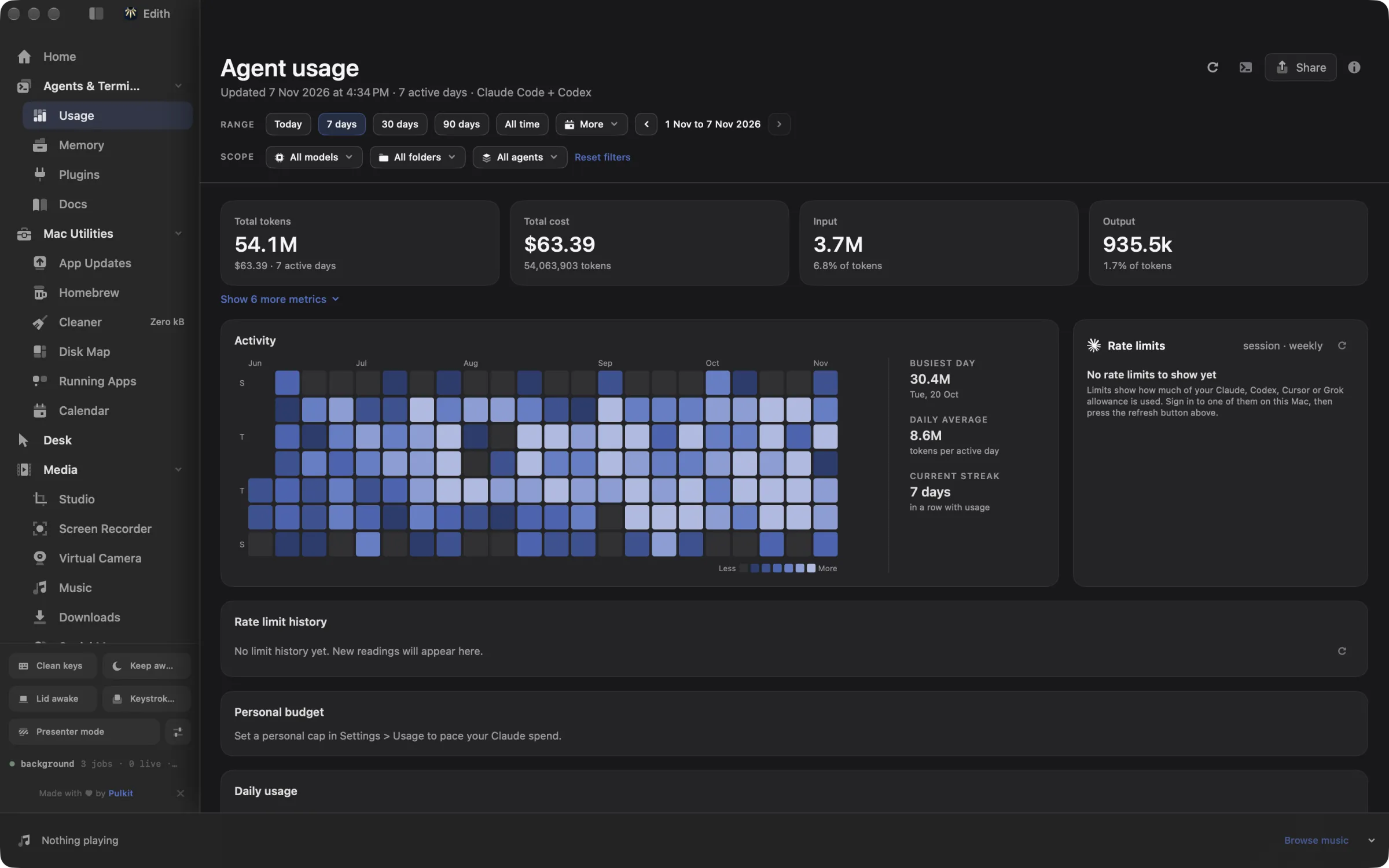
Rate limits
Your Claude limits, live in the menu bar.
The Usage extension reads your session, weekly and Fable windows from Claude's usage API with the login Claude Code already saved. It reads the Claude Code-credentials Keychain item without prompting or changing it, and picks up renewals on every poll.
With CLAUDE_CONFIG_DIR set, it reads that profile's .credentials.json instead and never falls back to another account's login. A CLAUDE_CODE_OAUTH_TOKEN in your login shell is the next fallback, but inference-only tokens cannot read usage and show a scope error.
- Session, week and Fable percentages in the menu bar, in a stacked, tagged or slash layout.
- Amber at 60% and red at 85% by default, or a tint that compares your burn rate with the time left.
- Optional alerts when a window is almost capped, hits 100% or resets.
ed usage limits
ed usage limits --refresh
ed usage alertsStatus line
A status line that feeds Edith.
Claude Code passes its status line command a JSON document. For Pro, Max and Ultra subscribers it carries the 5-hour and 7-day windows after a session's first response. ed usage statusline install points the statusLine setting in ~/.claude/settings.json at Edith, which records both windows and prints a short line such as 5h 42% · 7d 18%.
If you already have a status line command, Edith keeps it: it records the limits, runs your command with the same input and prints your output. The status line is a fallback for the usage API, and while Claude limits are on, Edith connects it for you.
Any custom status line replaces most of the keyboard hints in Claude Code's footer. ed usage statusline remove puts back the command Edith wrapped and stops the automatic connection.
ed usage statusline status
ed usage statusline install
ed usage statusline removeAccounts and history
Several Claude accounts, one history.
The Agents extension saves named Claude accounts. Each one keeps its own login and settings, and Use current CLI account copies the login you already have. New agents start in the account you pick, and the board filters by account.
Usage reads Claude Code transcripts from ~/.claude/projects, Cowork sessions from the Claude desktop app, and Claude Code Web sessions through the browser login saved by claude auth login. Sessions already in your local transcripts are not counted twice, and for Claude Code Web only usage metadata is saved, never conversation text.
- Cost and tokens by day, model, repository, worktree and chat.
- Claude Code on your SSH machines is collected over SSH and added in.
- A personal budget that caps or paces your Claude spend as a share of the session or weekly limit.
ed usage summary --range week
ed usage projects list
ed usage sourcesApprovals
Answer permission prompts from Edith.
Turn on session activity for Claude Code and Edith adds its hooks to ~/.claude/settings.json. The Agents board then shows each session as working, needs approval, needs an answer, finished or ended.
Handling permission requests is a second switch. With it on, Edith shows the tool and the request with Allow once and Deny, so you can answer without finding the right terminal. A request waits up to two minutes for your answer, then Claude Code's normal approval behavior takes over.
- Agents run in Herdr panes on this Mac or on any SSH machine with Herdr installed.
- Queue a message for an agent now, when it finishes, or at a set time.
ed agent activity status
ed herdr ls
ed herdr hooks lsSkills
Edith skills in your Claude skills folder.
The Plugins extension installs Edith's skills, short instruction files that show an agent how to drive Edith, into ~/.claude/skills, or the skills folder of your CLAUDE_CONFIG_DIR.
The library has four skills: remote work on your other machines, video editing, video delivery and LaTeX editing. Click Preview to read exactly what a skill tells Claude before you install it.
ed skills ls
ed skills preview edith-remote-work
ed skills install edith-remote-work --agent claude-code --yesMCP
Connect Claude Code to Edith.
Every extension you enable gives Claude Code tools it can call. Destructive commands and extension installs return a preview until the call passes confirm.
One step with Edith
Adds an edith entry for Claude Code, backs up an existing settings file first and keeps every other server.
With the Claude Code command
Registers the same server through Claude Code itself.
Or edit the file yourself
Add this to ~/.claude.json. Edith adds a user-scope entry, so the tools are there in every project. Claude Code rewrites this file often, so prefer either command over editing it by hand.
{
  "mcpServers": {
    "edith": {
      "args": [
        "mcp"
      ],
      "command": "/Applications/Edith.app/Contents/MacOS/ed",
      "env": {},
      "type": "stdio"
    }
  }
}
Restart Claude Code, then ask it to call edith_catalog.
Tool names, previews and the full list of prefixes are on the Edith MCP server page.
Extensions
Edith extensions for Claude Code.
Every extension is included in Edith, a one-time purchase from $35. See pricing.
Frequently asked questions
What does Edith read from my Claude Code transcripts?
Usage reads the transcripts on this Mac for tokens, models, cost and the folder each session ran in, plus a short title so you can find a chat again. For Claude Code Web it saves only usage metadata, never conversation text.
Do I need the status line to see my Claude limits?
No. Edith polls Claude's usage API with the login Claude Code saved. The status line is a fallback for when that API is unavailable, and it only reports limits for Pro, Max and Ultra subscriptions.
Why do my Claude limits show a scope error?
Edith fell back to a CLAUDE_CODE_OAUTH_TOKEN that can only run models. Sign in to Claude Code normally so its saved login is available, then refresh the limits.
How do I connect Claude Code to Edith over MCP?
Run ed mcp install --client claude, or press Connect in Settings, then Tools. Restart Claude Code and ask it to call edith_catalog. The MCP server page has every option.
More for coding agents
- MCP Server for Mac: Let Claude Code Drive Your MacInstall blocks for Claude Code, Codex, Cursor and VS Code, every tool prefix, and how previews and confirm work.
- How to Check Claude Code Usage Limits on MacCheck Claude Code usage limits on your Mac with /usage, claude.ai settings and the status line, or keep the 5-hour and weekly limits in the menu bar.
- How to Run Multiple Claude Code Agents on MacRun several Claude Code agents in parallel on a Mac with git worktrees and agent view, then watch every agent on one board and answer the blocked ones.
- How to Add an MCP Server to Claude Code on MacAdd an MCP server to Claude Code on a Mac with claude mcp add, pick the right scope, check it with /mcp, and connect Edith's tools in one command.
- ccusage Alternative for Mac: Menu Bar Usage TrackerA ccusage alternative for Mac: Claude Code and Codex cost and live rate limits in the menu bar, with alerts and SSH fleet totals. Paid once, with a CLI.
- Codex on Mac: Usage Limits, Workspaces and MCPCodex's 5-hour and weekly limits in the menu bar, local and Codex Cloud history, a board that launches Codex with your model and effort, and every Edith command as an MCP tool.
- Coding Agent Tools for Mac: Claude, Codex, CursorUsage and limits, the Agents board, code review, skills and the ed command line in one place.
Updated

Get Edith.
From $35 once. No subscription. No account.
Needs a license key · macOS 14 or later on Apple silicon · 6.4 MB