 Edith
Machines
SSH server manager for Mac
Watch, browse and run your servers and containers from one place.
Machines is an Edith extension that connects to any computer you can reach over SSH and shows its health, a terminal, its files and its Docker containers in one place, with your own Mac listed first.
Add a machine by address and username, or pick a host straight from your SSH config, and it joins a fleet view with live CPU, memory, disks, temperatures, GPUs and processes. Edith runs the macOS OpenSSH client, so your keys, agent and config work as they do in Terminal, and it keeps one shared connection per machine for every terminal, file listing and command. Macs, Linux servers and Windows PCs running an SSH server all work. Edith can notify you when a machine stops responding, again when it comes back, and when a disk passes a level you set, 90 percent by default.
Pick a machine to open terminal tabs, browse and transfer files in a Finder-style browser that can undo its last move or rename, or mount the machine's file system on your Mac with sshfs. The Docker tab lists containers with live stats, plus images, volumes, networks and Compose projects, and can start, stop, restart, remove or follow the logs of any of them. Workspaces put terminals from several machines side by side in split panes and remember the layout.
Some jobs are about the hardware itself. Live controls set volume, brightness, Wi-Fi, Bluetooth, Do Not Disturb and keyboard backlight where the machine supports them. You can also switch thermal profiles, with an optional timer that reverts the change, and restart, shut down, or wake a sleeping machine with a Wake-on-LAN packet. Saved port forwards bring a remote service to localhost, and snippets keep the commands you run on each machine one click away. Removing a machine only forgets it; nothing on the machine changes.
Updated
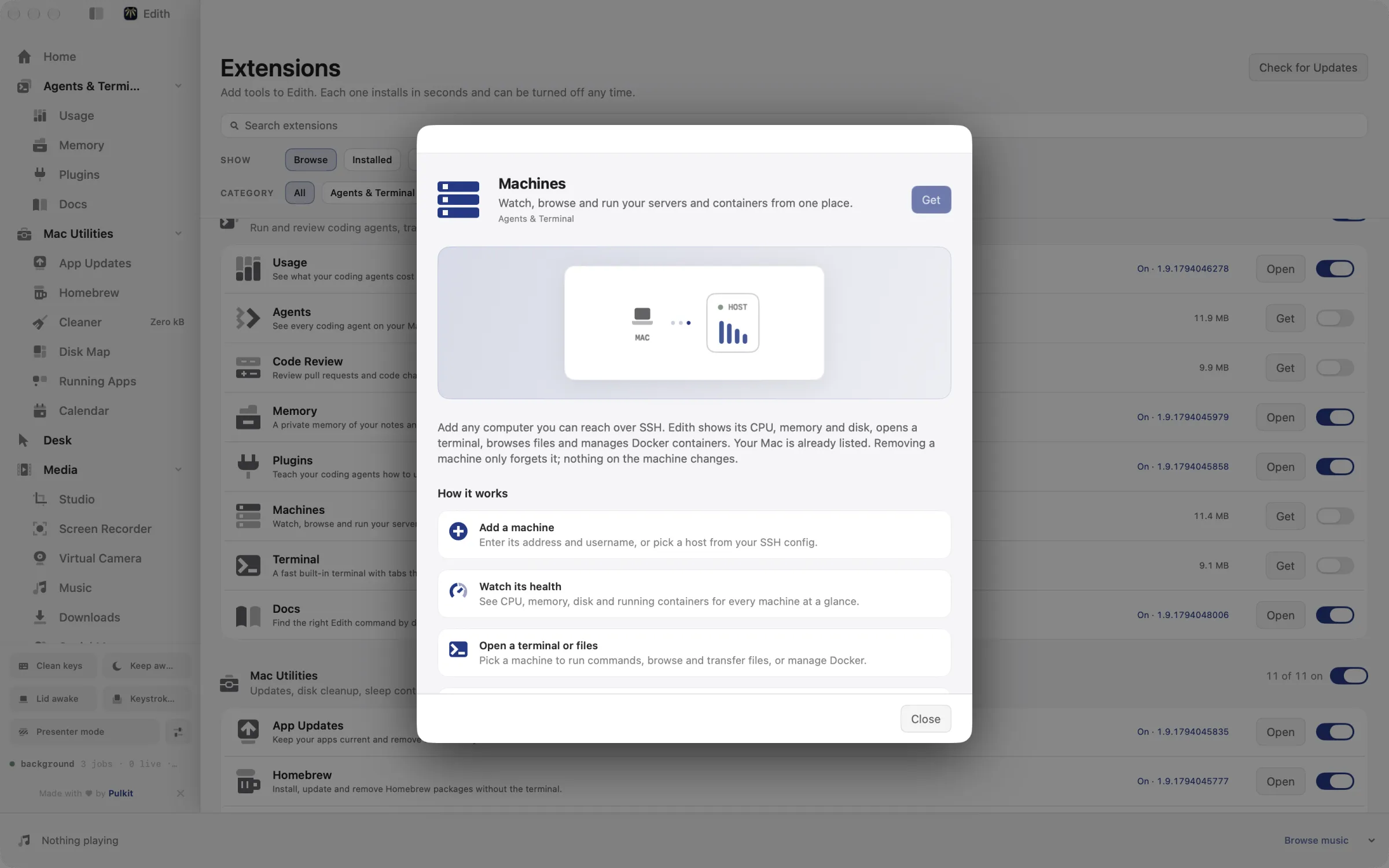
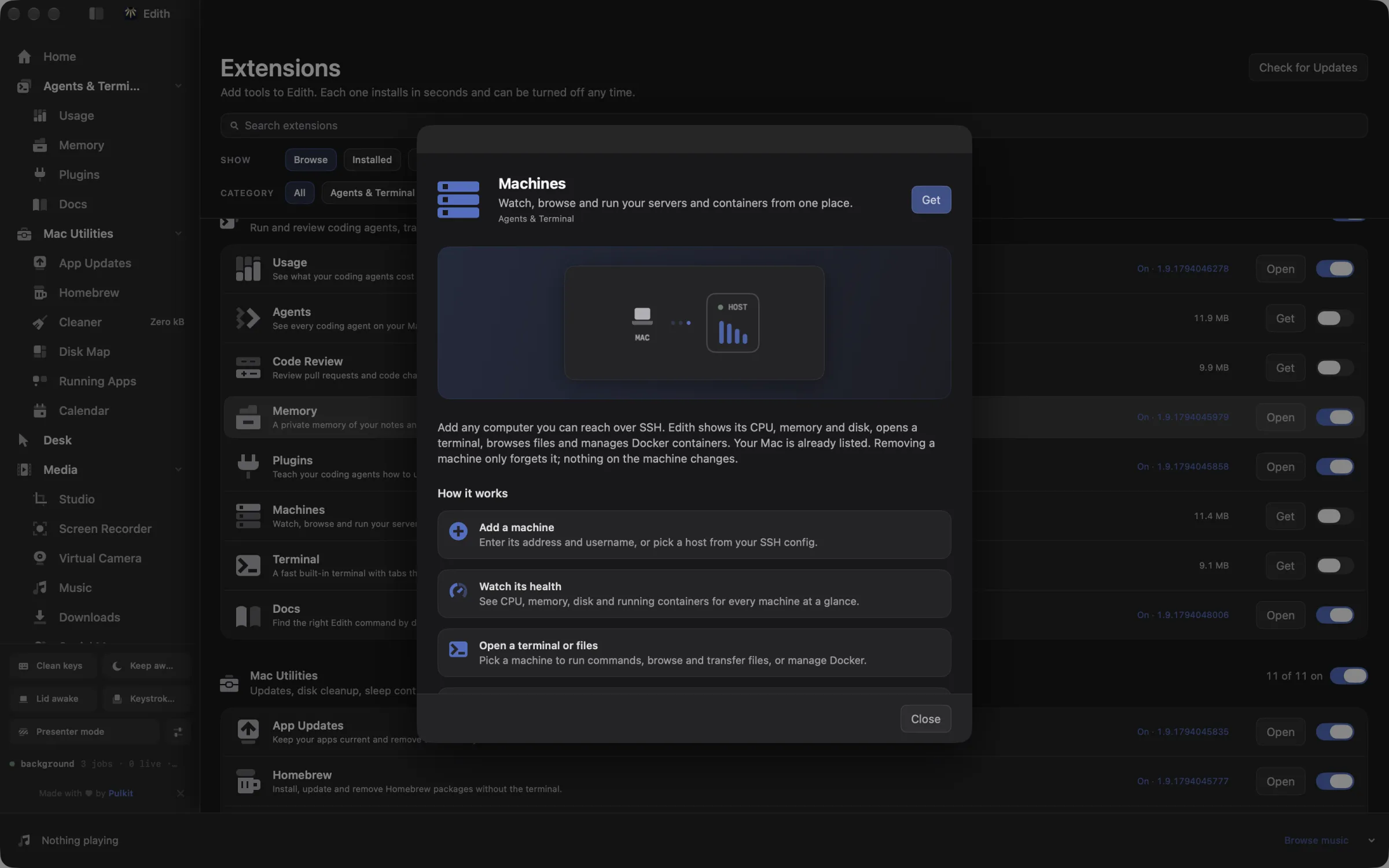
How to manage SSH servers and Docker containers from a Mac
- 1
Add a machine
Enter its address and username, or pick a host from your SSH config.
- 2
Watch its health
See CPU, memory, disk and containers at a glance, and control volume, brightness, Wi-Fi, power and thermal profiles.
- 3
Open a terminal or files
Pick a machine to run commands, browse and transfer files, or manage Docker.
- 4
Build a workspace
Arrange terminals from several machines side by side in split panes.
What it does
Connect to a server over SSH
Watch its health, open a terminal and browse its files.
Manage Docker containers
Start, stop and read the logs of containers on your machines.
Does macOS do this already?
Can a Mac manage SSH servers without extra software?
For the basics. macOS ships the OpenSSH client, so ssh, scp and sftp work in Terminal, and Finder's Connect to Server opens SMB and other network shares, though not SFTP. There is no built-in view of a remote machine's CPU, disks or containers. Machines adds live health, a remote file browser, Docker and Compose management, port forwards and saved workspaces on top of the same SSH you already use.
Use cases
Free disk space on a Docker host
When a VPS alert says the disk is at 92 percent, open the Docker tab or run ed machines docker df box to see whether images, volumes or build cache take the space. ed machines docker prune box images reclaims space from unused images, and removes nothing until you add --yes.
Reach a database that only listens on the server
Save a port forward from local port 5433 to the server's Postgres on 5432 and switch it on. The database now answers on localhost, so the Database extension, or any client, can connect to it without opening the port to the internet.
Run one command across every box
Before a maintenance window, ed machines broadcast runs uptime, or a package update, on every machine at once, so you can spot the one that needs attention before you start.
Edit server files in your Mac editor
Mount a machine's file system with ed machines mount box, reveal it in Finder, and open its config files in the editor you already use. Edith offers to install sshfs and FUSE-T the first time.
From the terminal and your coding agents
Every example returns JSON with --json, and agents can call the same thing over MCP.
$ ed machines ls
$ ed machines add box --host 10.0.0.4
$ ed machines show box
$ ed machines exec box uptime| Command | MCP tools |
|---|---|
ed machines | edith_machines_* |
Connect Claude Code, Codex, Cursor or another client through the Edith MCP server.
Permissions and requirements
Permissions
- Keychain, for machine passwords and sudo passwords you choose to save
- Notifications, for down, back-up and disk-full alerts
Requirements
- macOS 14 or later on Apple silicon
- SSH access to each machine you add
- Docker on a machine, for its Docker tab
- sshfs and FUSE-T, only for mounting, installed from the tab
Recent changes
- FixedStop crashing when remote command output arrives.v0.0.373,
- FixedWait for a finished download without blocking a concurrency thread.v0.0.361,
- FixedAccept the fixture home when HOME points at it.v0.0.319,
- NewAdd shared detail operations.v0.0.158,
- NewAdd safe single transfers to Finder and CLI.v0.0.157,
Frequently asked questions
Does Machines use my existing SSH keys and config?
Yes. It runs /usr/bin/ssh, the client that ships with macOS, so keys in ~/.ssh, your SSH agent and hosts in ~/.ssh/config work unchanged. If a machine needs a password, you can save it in your Keychain.
Will removing a machine change anything on it?
No. Removing forgets the machine on your Mac, along with its saved port forwards, snippets and stored secrets. Nothing is installed on or deleted from the machine itself.
Can Claude Code run commands on my servers over MCP?
Yes. The ed machines commands are tools in Edith's MCP server, including edith_machines_exec to run a command, edith_machines_docker_ps to list containers and edith_machines_files_get to fetch a file. Anything that changes or removes something shows a preview until the call confirms it.
Does it work with Linux and Windows machines?
Yes. Edith detects whether a machine runs macOS, Linux or Windows and uses the right commands for metrics, services and power. A Windows PC needs its OpenSSH server turned on.
Can I see a server's files in Finder?
Yes, by mounting it. ed machines mount puts the machine's file system on your Mac through sshfs, and ed machines mount-reveal opens it in Finder. The built-in browser works without mounting.
Is Machines included in Edith's one-time price?
Yes. Machines comes with every Edith license, with no per-server or per-seat fee.
Guides
Compare and alternatives
- Edith vs Raycast: One-Time Mac Toolkit ComparedEdith vs Raycast on Mac: a free launcher with paid AI plans, or one payment for a launcher plus agent usage, MCP control and Mac utilities.
- ccusage Alternative for Mac: Menu Bar Usage TrackerA ccusage alternative for Mac: Claude Code and Codex cost and live rate limits in the menu bar, with alerts and SSH fleet totals. Paid once, with a CLI.
Used in
- Run Coding Agents Overnight on a Mac With EdithRun Claude Code and Codex agents overnight on a Mac: keep it awake with the lid closed, queue the next task, and wake up to limits, costs and results.
- Manage Servers From Your Mac With EdithManage SSH servers from your Mac: health, terminals, Docker, port forwards, a database client and agent usage across machines, from one app and the ed CLI.
More in Agents & Terminal

Get Edith.
From $35 once. No subscription. No account.
Needs a license key · macOS 14 or later on Apple silicon · 6.4 MB