 Edith
Code Review
Review pull requests on your Mac
Review GitHub pull requests and code changes in a focused terminal workspace.
Code Review is an Edith extension that opens a Git project in a review terminal, one tab per worktree, so you can read pull requests and follow changes as they land.
Reviewing code that an agent wrote is now a large part of many developers' days, and a diff in the browser loses the checkout it came from. Code Review starts from the project instead. Pick a recent Git project, or any folder on this Mac or on a machine you connected in Machines, then pick a worktree. Each checkout opens as its own review session in its own tab, so a feature branch and a hotfix can stay open side by side, and the plus button adds another.
The review runs in Quinjet, a separate review tool that opens a project and an AI agent next to each other in the terminal. Edith installs Quinjet for you and runs it in a terminal embedded in the page, or in cmux if that is where you already work, and you can switch between the two from the toolbar. Code Review only reads your project until you act, and installing Quinjet does not touch your repositories.
With the GitHub CLI signed in, Edith's home screen also gets a GitHub card. It lists pull requests you opened, pull requests waiting for your review and pull requests assigned to you, each with its check status, and counts the ones with failing checks so you know where to start.
Updated
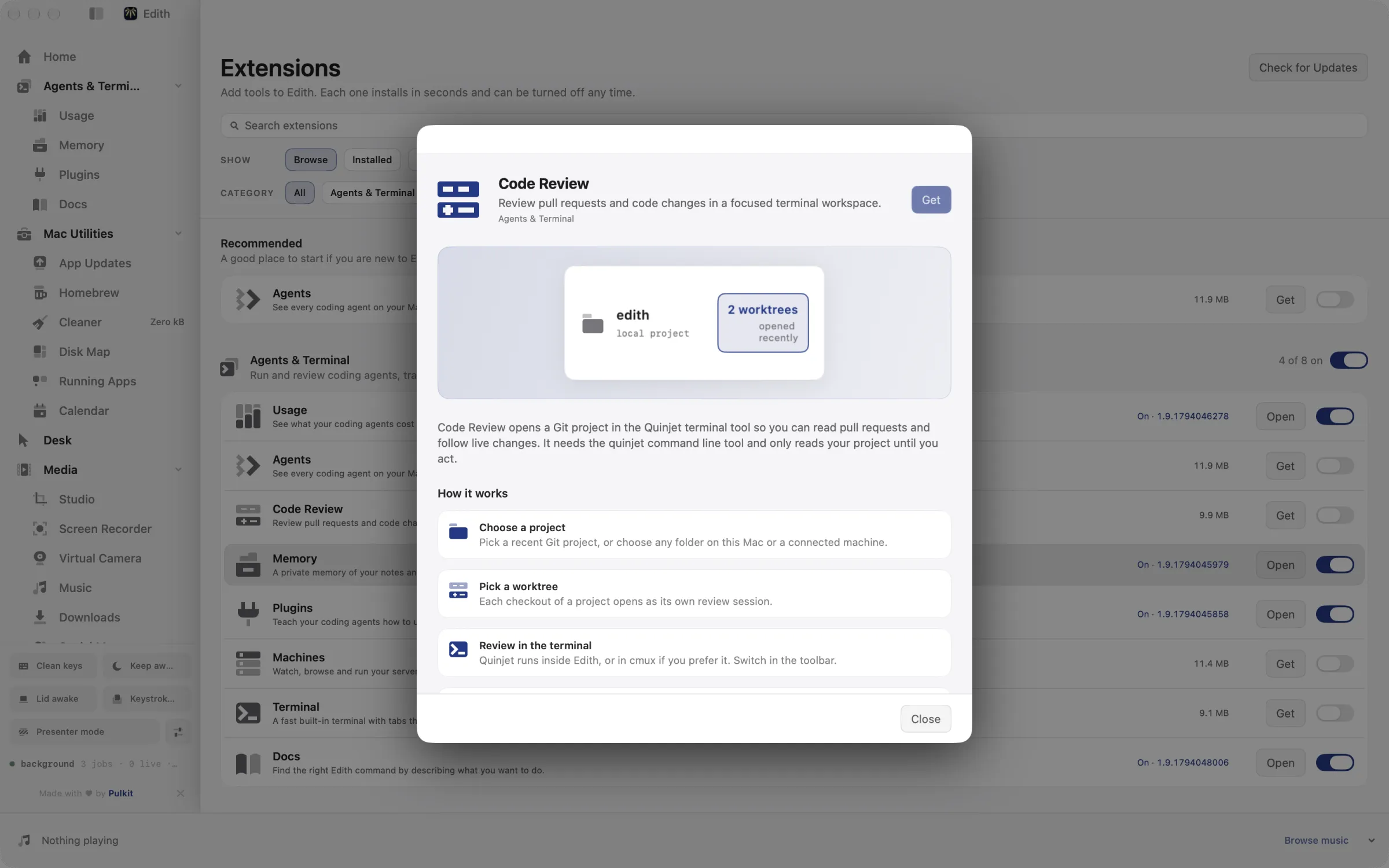
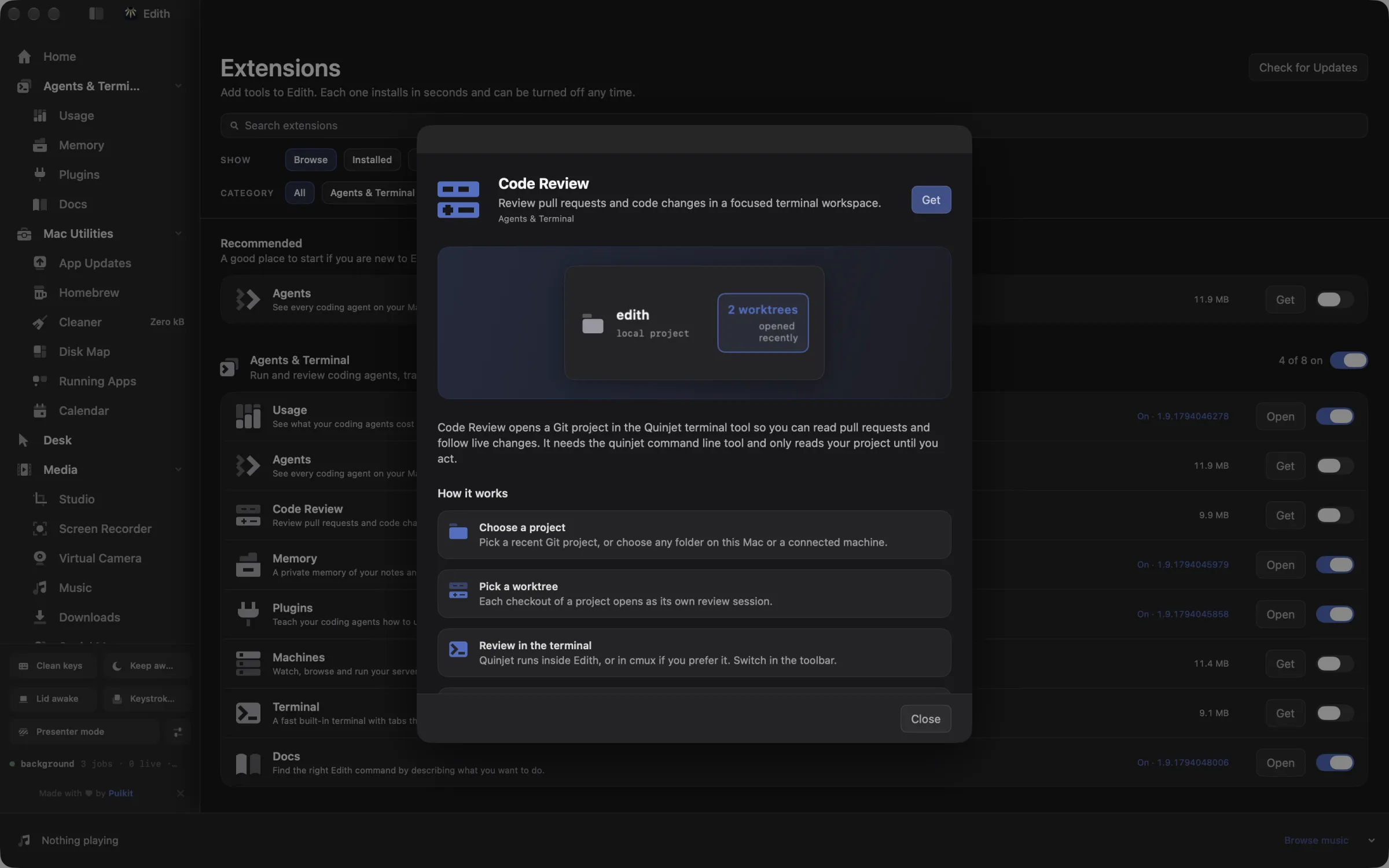
How to review a pull request on Mac with Code Review
- 1
Choose a project
Pick a recent Git project, or choose any folder on this Mac or a connected machine.
- 2
Pick a worktree
Each checkout of a project opens as its own review session.
- 3
Review in the terminal
The review terminal runs inside Edith, or in cmux if you prefer it. Switch in the toolbar.
- 4
Keep several reviews open
Use the plus button to open another tab for a second project or branch.
What it does
Review a pull request
Read pull requests and live changes in a focused terminal.
Does macOS do this already?
Can I review pull requests on a Mac without extra apps?
Partly. With Apple's command line developer tools installed, git diff and git log work in Terminal, and GitHub's website handles pull requests in a browser. Neither ties a review to the worktree on disk or keeps several reviews open by branch. Code Review adds tabs per worktree, a terminal review workspace next to an AI agent, and a GitHub card with check status on Edith's home screen.
Use cases
Review a branch an agent just pushed
When Claude Code finishes a task in its own worktree, open that worktree in Code Review instead of switching your main checkout. The agent's changes stay where they were made, and your working copy keeps whatever you were doing.
Keep two reviews open at once
Open one tab for the pull request you are reviewing and another for the branch you are fixing. ed quinjet switch moves an open tab to a different worktree of the same project when the author pushes a follow-up branch.
Work through your review queue in the morning
The GitHub card sorts pull requests that request your review by last update and marks the ones whose checks are failing. Start with green ones that are ready to merge, then open the failing ones in a review tab to see why.
Review code that lives on a server
Choose a folder on a machine you added in Machines and the review session opens there, so you can read changes on a remote box without cloning the repository to your laptop.
From the terminal and your coding agents
Every example returns JSON with --json, and agents can call the same thing over MCP.
$ ed quinjet projects
$ ed quinjet open /path/to/project
$ ed quinjet sessions| Command | MCP tools |
|---|---|
ed quinjet | edith_quinjet_* |
Connect Claude Code, Codex, Cursor or another client through the Edith MCP server.
Permissions and requirements
Permissions
- No macOS privacy permissions
- A GitHub CLI sign-in, only for the pull request card
Requirements
- macOS 14 or later on Apple silicon
- Quinjet, which Edith installs with one click
- Git projects on this Mac or on a machine added in Machines
- The GitHub CLI (gh), signed in, for pull requests and checks
- cmux in Applications, only if you prefer it to the embedded terminal
Recent changes
- FixedResolve folder picker paths.v0.0.170,
Frequently asked questions
What is Quinjet?
Quinjet is a separate command line review tool that opens a project and an AI agent side by side in a terminal. Edith installs it for you from its Homebrew tap or its GitHub releases. Code Review is the Edith page around it: the project picker, worktree tabs, the terminal and the GitHub card.
Will Code Review change my repository?
Not on its own. It reads your project until you act, and opening a worktree does not check anything out in your main copy. Any edits come from you or the agent you run in the review.
Can I use cmux instead of the built-in terminal?
Yes. Pick cmux in the toolbar and new reviews open there instead of in the embedded terminal. cmux has to be installed in your Applications folder.
Can a coding agent open a review for me over MCP?
Yes. The ed quinjet commands are tools in Edith's MCP server, such as edith_quinjet_projects to list recent projects, edith_quinjet_worktrees to list checkouts and edith_quinjet_new to open a new tab. ed quinjet open prints the launch command without running it, which is handy for checking what an agent is about to do.
Does it work with GitLab or Bitbucket?
The review workspace works on any Git checkout, wherever it is hosted. The pull request card and check status read from GitHub through the GitHub CLI, so those parts are GitHub only.
Is Code Review included in Edith's one-time price?
Yes. Code Review comes with every Edith license, and installing Quinjet through Edith costs nothing extra. If you run an AI agent in the review, that agent needs its own plan or API key.
More in Agents & Terminal

Get Edith.
From $35 once. No subscription. No account.
Needs a license key · macOS 14 or later on Apple silicon · 6.4 MB