 Edith
Code Stats
GitHub code stats on your Mac
See how much code you write, across every GitHub repository you own.
Code Stats is an Edith extension that mirrors your GitHub repositories into a folder you choose, counts the commits and lines you wrote, and turns them into streaks, languages and a daily heatmap.
GitHub's contribution graph counts contributions such as commits, issues and pull requests, not lines of code, and each repository's Insights page only covers that one repository. Code Stats reads the history itself. It lists repositories you own, collaborate on or reach through an organization, keeps a bare copy of each one in a folder you pick (an external drive works), and walks commits on every branch and tag, skipping merge commits.
Which commits are yours is up to you. Sign in with the GitHub CLI, then confirm the author emails and name fragments that count as you, since most people have committed under a few addresses over the years. The authors list shows every author found in the mirror, and the audit explains what was counted, what was left out and why. Lockfiles, minified files and folders such as node_modules, dist, build and vendor are excluded from line counts, so a dependency bump does not look like your most productive day.
Results show as streaks, languages, a daily heatmap and per-repository totals, filtered by range, repository or language, and you can export them as PNG share cards. Refresh by hand, or schedule a daily or weekly run at an hour you pick. Code Stats only fetches from GitHub and never pushes anything back.
Updated
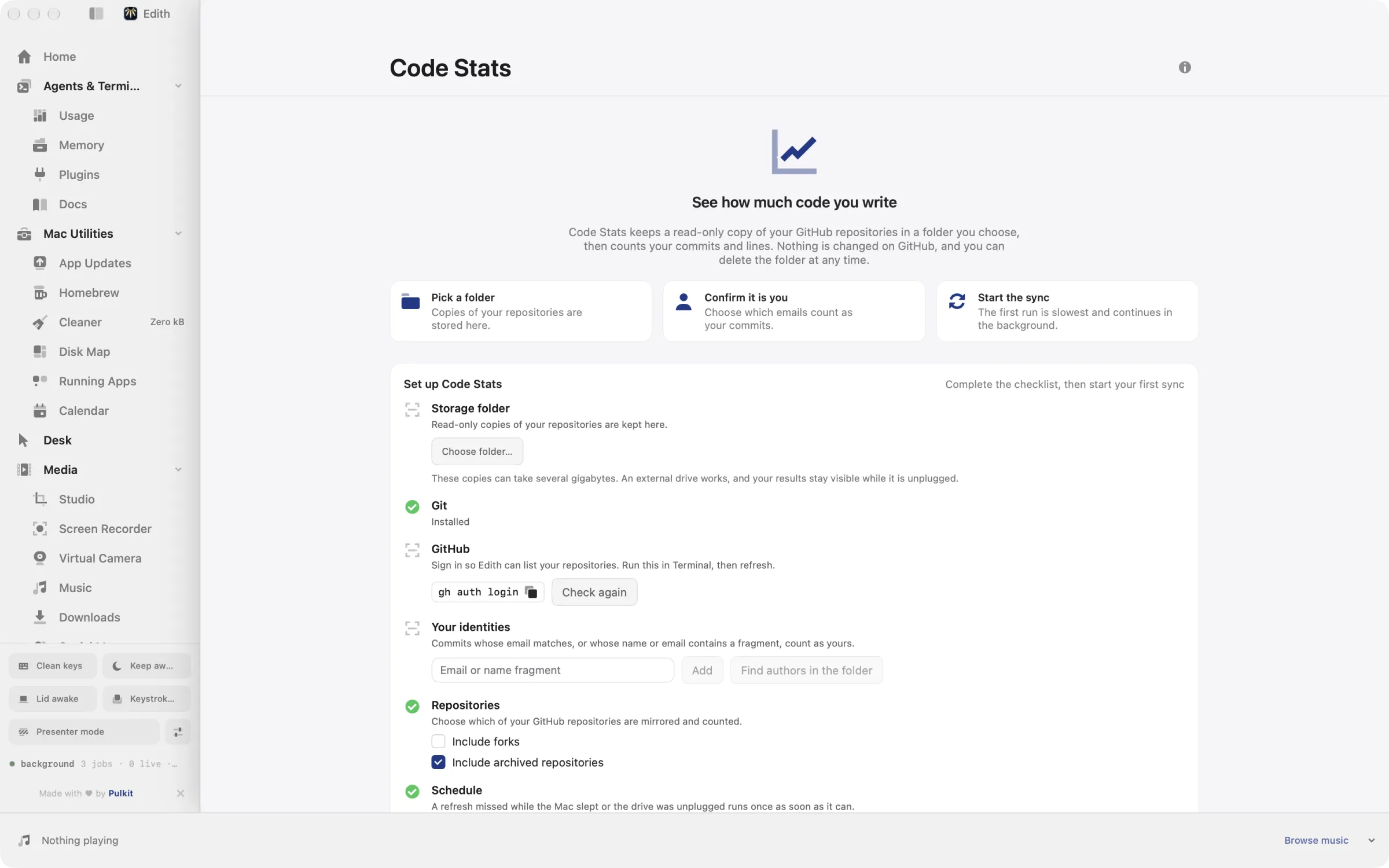
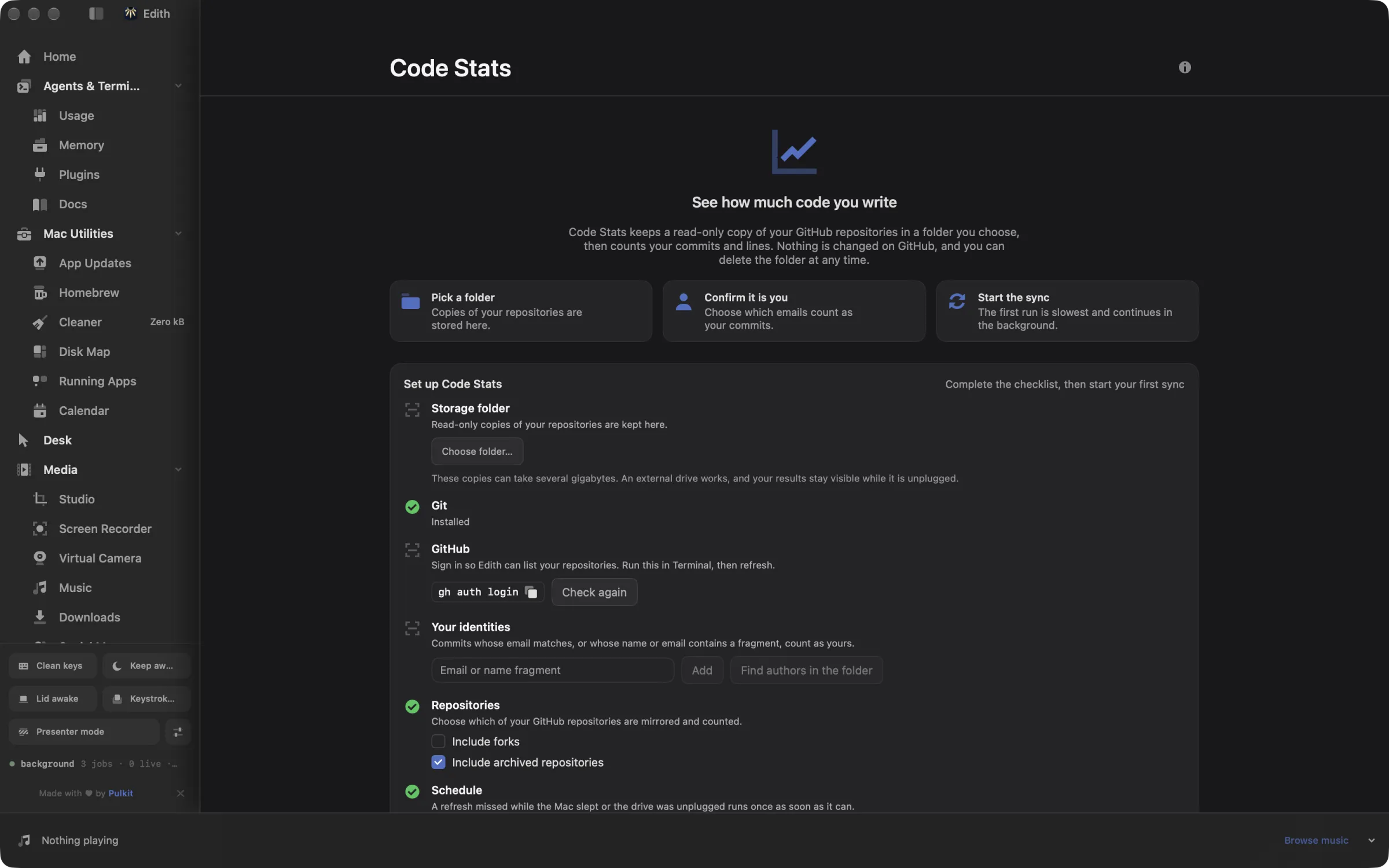
How to see your GitHub commit and line stats on Mac
- 1
Choose a storage folder
Pick where repository copies are kept; an external drive works.
- 2
Confirm it is you
Sign in with the GitHub CLI and confirm which emails count as your commits.
- 3
Run the first sync
Edith copies and reads your repositories in the background; the first run takes the longest.
- 4
Explore your stats
Filter by range, repository or language, and share cards as images.
What it does
See how much code you write
Commits, lines, streaks and languages across your repositories.
Does macOS do this already?
Does macOS or GitHub already show my code stats?
Not in this form. macOS has nothing for code statistics, and git log --shortstat in Terminal gives raw numbers for one repository at a time. GitHub's profile graph counts contributions across GitHub, and a repository's Insights tab shows its own contributors. Neither adds up the lines you wrote across all your repositories with generated files removed, which is what Code Stats does from a local mirror.
Use cases
See what you shipped this quarter
Before a review or a 1:1, run ed code-stats report --range 90d, or set the range in the app. You get commits, lines added and removed, the busiest repositories and the languages you worked in, without counting generated files.
Combine personal and work accounts
If you are signed in to more than one GitHub account in the GitHub CLI, Code Stats can mirror repositories from each. Add the work email as one of your identities so commits from your work laptop count, and exclude any account you do not want synced.
Keep the mirror off your internal disk
Choose a folder on an external SSD when you set it up. Bare copies of a few hundred repositories add up, and an external drive keeps that space off the MacBook. Code Stats notices when the drive is connected again.
Post a streak
ed code-stats export renders your stats as branded PNG cards at high resolution, the same cards the app shares, ready for a post or a team channel.
From the terminal and your coding agents
Every example returns JSON with --json, and agents can call the same thing over MCP.
$ ed code-stats status
$ ed code-stats run --wait
$ ed code-stats report --range 30d
$ ed code-stats audit| Command | MCP tools |
|---|---|
ed code-stats | edith_code_stats_* |
Connect Claude Code, Codex, Cursor or another client through the Edith MCP server.
Permissions and requirements
Permissions
- No macOS privacy permissions
- Access to the storage folder you pick, including folders on external drives
- A GitHub CLI sign-in that can read your repositories
Requirements
- macOS 14 or later on Apple silicon
- The GitHub CLI (gh), signed in
- Free disk space for bare copies of your repositories
Recent changes
Frequently asked questions
Does Code Stats change anything on GitHub?
No. It lists your repositories through the GitHub API, then clones and fetches them as bare copies. It never pushes, opens issues or edits settings on GitHub.
Which repositories are counted?
Repositories you own, collaborate on, or can see as an organization member. Archived repositories are included and forks are left out by default, and both settings can be changed. You can also exclude whole GitHub CLI accounts.
Why do my numbers differ from GitHub's contribution graph?
They measure different things. GitHub counts contributions, mostly commits on default branches plus issues and pull requests. Code Stats counts your commits on every branch and tag, skips merge commits, and counts lines with generated files removed. ed code-stats audit lists what was included and excluded.
Can an agent pull my code stats over MCP?
Yes. The ed code-stats commands are tools in Edith's MCP server, such as edith_code_stats_report for a 30-day, 90-day, yearly or all-time report, edith_code_stats_status for the last refresh and edith_code_stats_run to start one.
How much disk space does the mirror use?
About as much as the .git folders of the repositories it copies, because each copy is a bare clone with history but no checked-out files. Large repositories with long histories take the most.
Is Code Stats included in Edith's one-time price?
Yes. Code Stats comes with every Edith license. There is no extra charge for private repositories or for the number of repositories mirrored.

Get Edith.
From $35 once. No subscription. No account.
Needs a license key · macOS 14 or later on Apple silicon · 6.4 MB