 Edith
Music
Local music player for Mac
Play the files in a folder exactly as they are, and control whatever else is playing from the same place.
Music is an Edith extension that plays the audio files in a folder on your Mac, connects your Spotify or YouTube Music account, and lets you control playback from the menu bar, the notch, the media keys and the terminal.
The Music app wants to import files into its library and manage them for you. If you keep music as plain folders, from band downloads, a DJ crate or old CD rips, that gets in the way. Edith's Music plays a folder directly. Pick a library folder, browse it as a list or a grid, and play a folder, a single track or your favourites. Tracks show artwork thumbnails, you can drag to seek, and songs crossfade into each other over two seconds by default, with shuffle and repeat when you want them.
Playback is not tied to a window. Close Edith's window and the music keeps going, with controls in the menu bar, in the notch on MacBooks that have one, on the keyboard's media keys and in the terminal. The ed music commands are not limited to Edith's own player: play, pause, next, previous and volume also reach Spotify and Apple Music when one of them is the active player. Edith's own player also remembers the last track and position, so you can pick up where you stopped.
Inside Edith you can also sign in to Spotify to browse playlists, Liked Songs, albums, artists and podcasts and build a queue, with playback requiring Spotify Premium, or connect the Chrome profile where you use YouTube Music. You can paste a link in Music to save its audio straight into your library folder, for media you have the rights to, and the library can be included in Edith's iCloud backup.
Updated
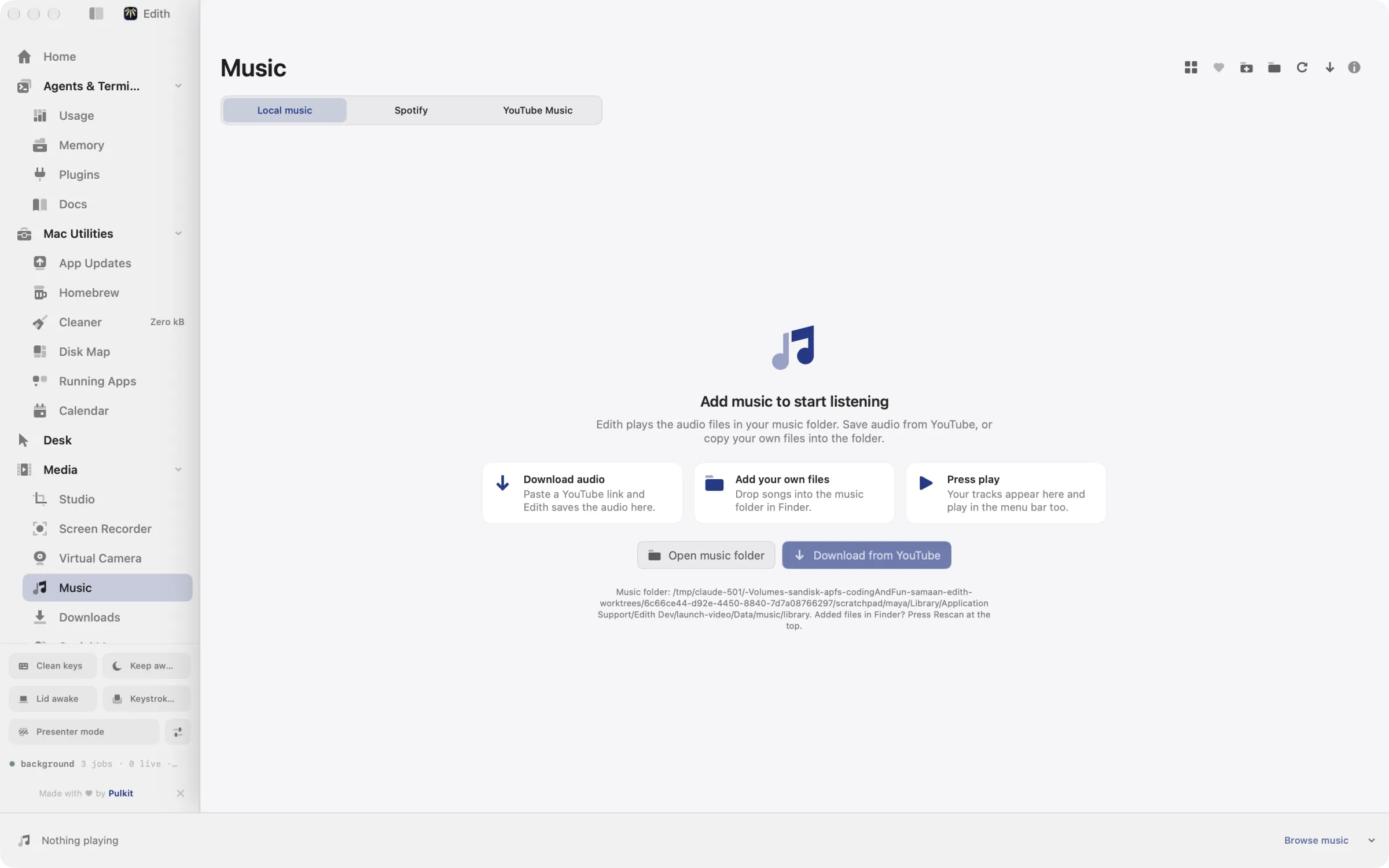
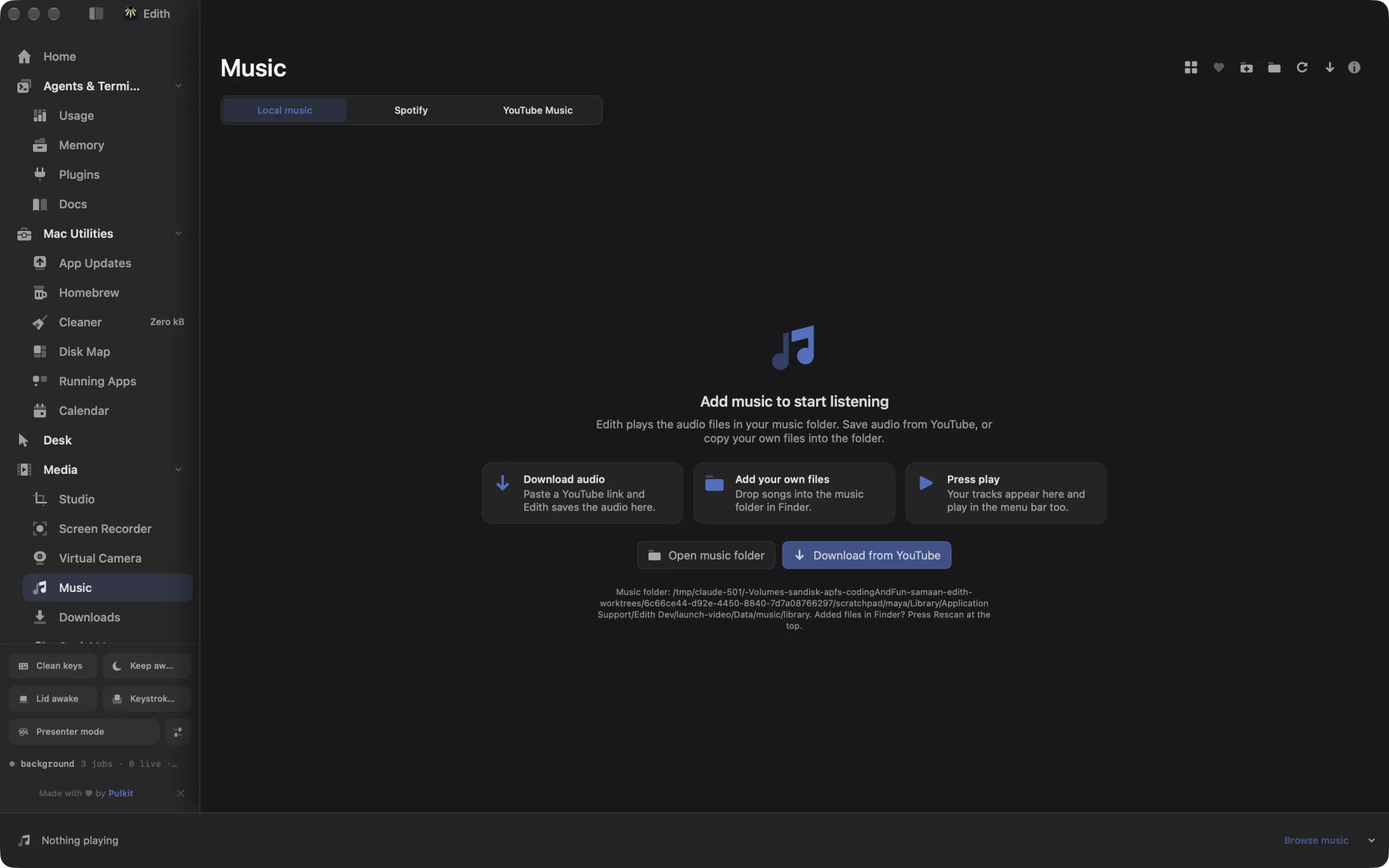
How to play a music folder on Mac without importing it
- 1
Pick your music source
Use your local library, or connect Spotify or YouTube Music.
- 2
Add songs
Download audio from a YouTube link, or copy files into your music folder.
- 3
Press play
Open a folder or favourites and play it. Control it from the menu bar too.
What it does
Play your music
Play songs from your music folder, Spotify or YouTube Music.
Save audio from YouTube
Paste a link and add the song to your library.
Does macOS do this already?
Can the Mac Music app play files without importing them?
Not really. Music can add files without copying them if you turn off Copy files to Music Media folder in its settings, but it still builds and manages its own library and does not play a folder as a folder. macOS shows Now Playing controls in Control Center for whichever app is playing. Edith's Music plays folders directly and adds notch and terminal control on top.
Use cases
Play a folder of albums as it is
Point the library at ~/Music/Albums or a folder on an external drive and play by folder. Nothing is copied or reorganized, so the files stay where your tagging tools and backups expect them.
Control playback without leaving Terminal
While you work in a terminal, ed music toggle, ed music next and ed music volume 0.3 control whichever player is active, Edith, Spotify or Apple Music, without switching windows.
A focus mix from your favourites
Favourite tracks as they play, then start the Favourites view for a mix of songs you actually like, with crossfade smoothing the gaps between them.
From the terminal and your coding agents
Every example returns JSON with --json, and agents can call the same thing over MCP.
$ ed music status
$ ed music play
$ ed music next
$ ed music volume 0.5| Command | MCP tools |
|---|---|
ed music | edith_music_* |
Connect Claude Code, Codex, Cursor or another client through the Edith MCP server.
Permissions and requirements
Permissions
- Automation, the first time you control Spotify or Apple Music from Edith or the terminal
Requirements
- macOS 14 or later on Apple silicon
- Spotify Premium for Spotify playback inside Edith
- Google Chrome with a signed-in profile for YouTube Music
Recent changes
Frequently asked questions
Which audio formats does it play?
MP3, M4A, M4B, AAC, WAV, AIFF and FLAC, plus the audio track of MP4 and MOV files.
Does it import or move my music files?
No. It reads the folder you choose and leaves the files where they are. Renaming a track, moving it into a folder or deleting it only happens when you ask, and deleted tracks go to the Trash.
Does it work with Spotify?
In two ways. Sign in to Spotify inside Edith to browse your library and play it there, which needs Premium, or keep using the Spotify app and control it with ed music play, pause, next and volume. Those commands work for Apple Music too.
Can Claude Code pause or skip my music?
Yes. Edith's MCP server exposes the music command, so tools such as edith_music_toggle, edith_music_next and edith_music_status let an agent pause playback before a call or tell you what is playing.
Does music keep playing when I close the window?
Yes. Music runs in the background, so closing Edith's window does not stop playback; quitting Edith does.
Do I need a subscription to use Edith's Music player?
Not for your own files. Music comes with Edith's one-time purchase. Only Spotify playback needs your own Spotify Premium account.
More in Media

Get Edith.
From $35 once. No subscription. No account.
Needs a license key · macOS 14 or later on Apple silicon · 6.4 MB