 Edith
Keystroke Highlight
Show keystrokes on screen on Mac
Show the keys you press on screen for demos and recordings.
Keystroke Highlight is an Edith extension that draws each key press and shortcut as a keycap at the top or bottom of your screen, so people watching a demo or recording can follow along.
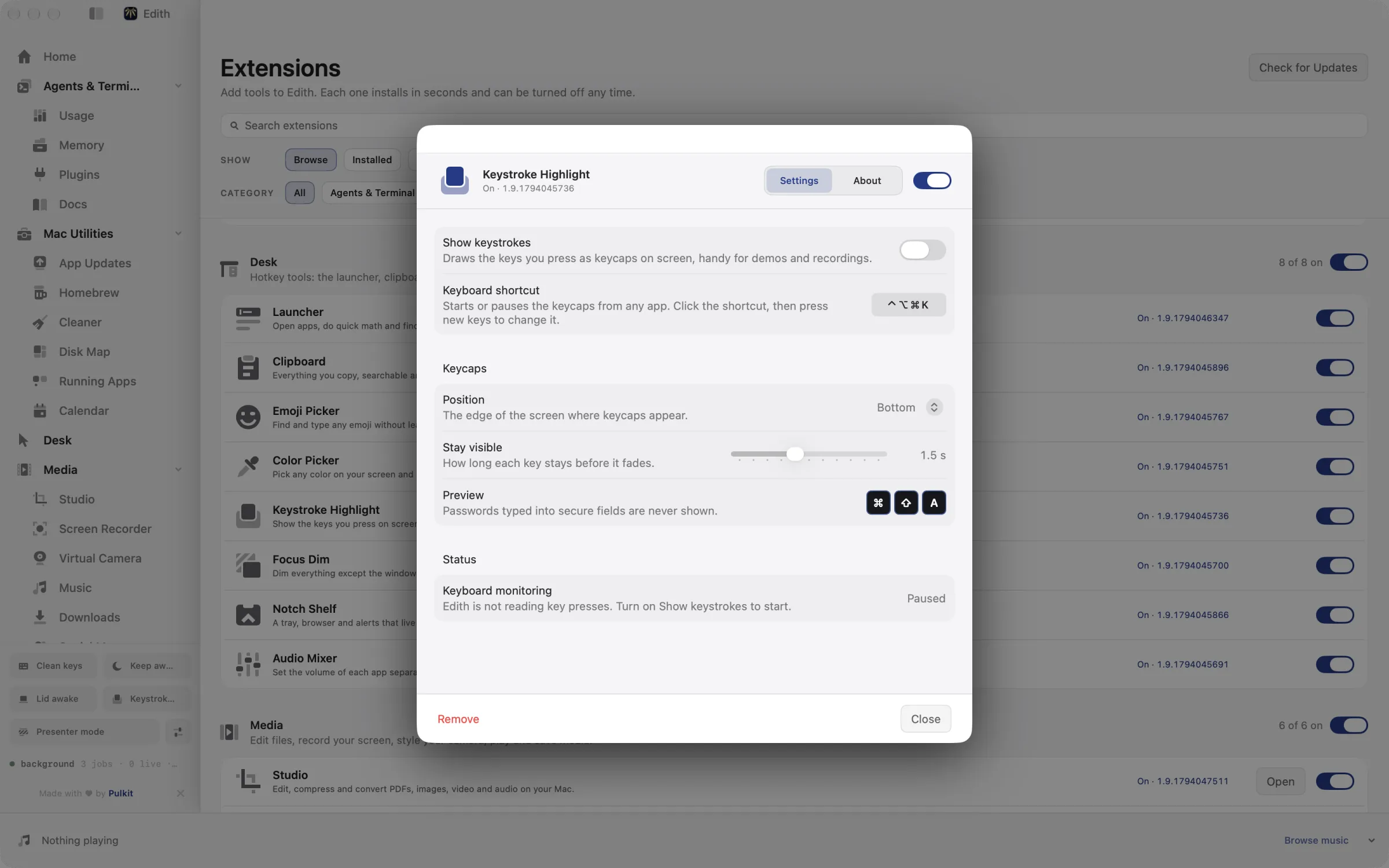
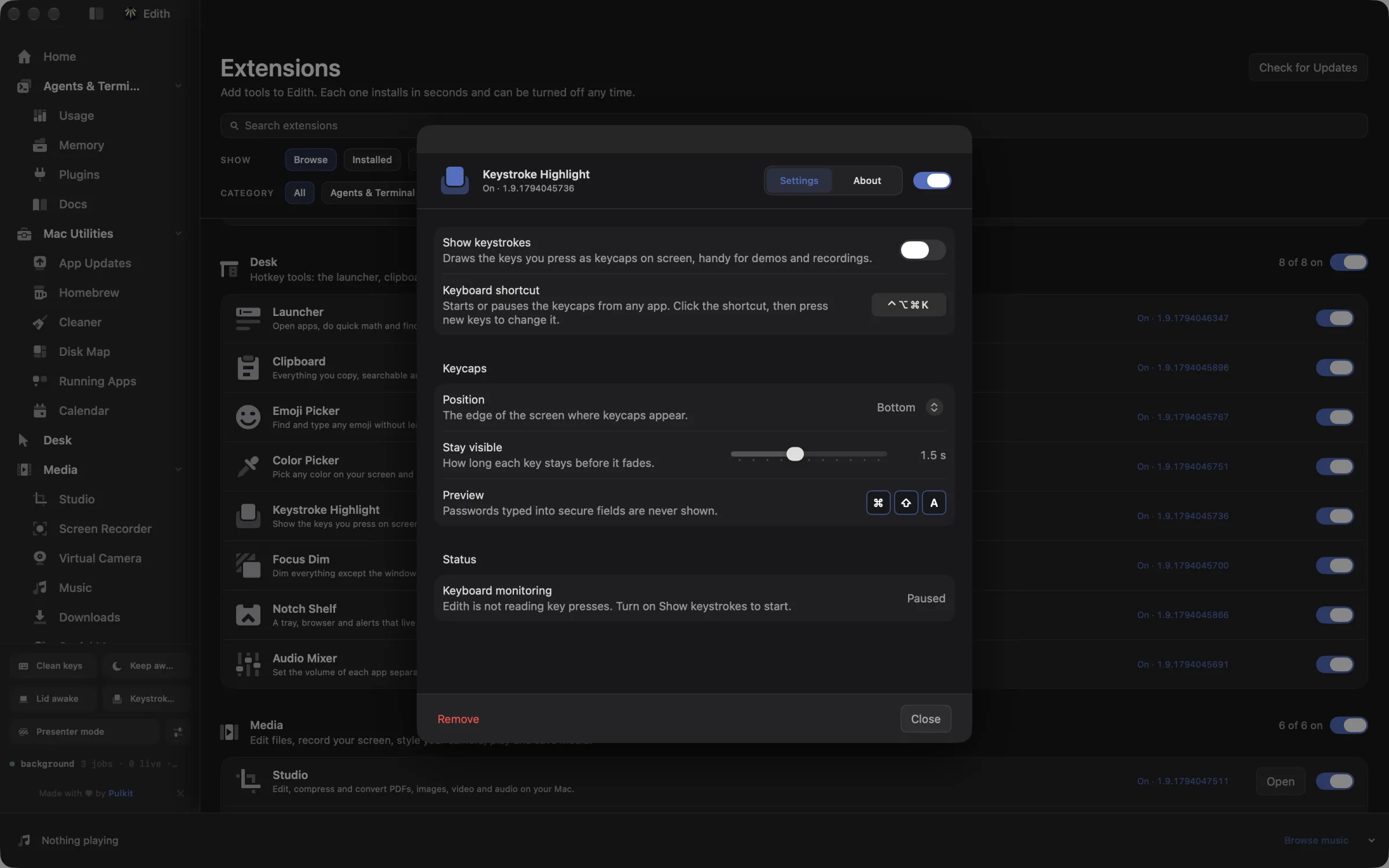
When you record a tutorial or share your screen, viewers see things happen but not how you made them happen. Press ⌃⌥⌘K and every key you press appears as a keycap near the edge of the screen, modifiers first in the order macOS uses: ⌃, ⌥, ⇧, ⌘, then the key. Return shows as ↩, Tab as ⇥, Delete as ⌫ and the arrow keys as arrows. Each keycap fades after 1.5 seconds by default, and up to six stay on screen at once so a fast sequence stays readable.
The keycaps appear on the display under your pointer, which on a multi-monitor desk is usually the one you are recording. Choose the top or bottom edge and how long keys stay visible, from half a second to three seconds. Press ⌃⌥⌘K again to pause the overlay between takes, or use the Show keystrokes switch in its settings.
Keystroke Highlight reads key presses only while it is on, through a listen-only event tap that cannot change or block what you type. While a password field or any other secure text entry is active, nothing is shown. It draws keys only: mouse clicks and scrolling are not displayed.
Updated
How to show keystrokes on screen on Mac
- 1
Allow Input Monitoring
macOS asks once. Edith only reads key presses to draw the keycaps.
- 2
Press ⌃⌥⌘K
Starts or pauses the overlay from any app.
- 3
Type as normal
Keycaps appear at the edge of the screen and fade away.
- 4
Adjust it
Choose the position and how long keys stay visible.
Keyboard shortcut
| Shortcut | Action | What it does |
|---|---|---|
| ⌃⌥⌘K | Keystroke highlight | Starts or pauses the on-screen keycaps |
Works from any app. You can record a different shortcut in Edith's settings.
What it does
Show keys on screen
Draw each key press as a keycap for demos and recordings.
⌃⌥⌘KDoes macOS do this already?
Can a Mac show keystrokes on screen?
Not in a way that suits recordings. The Keyboard Viewer, available from the input menu once you turn it on in Keyboard settings, shows a small on-screen keyboard that highlights keys as you press them, but it does not show a shortcut as one readable label or fade it out. The ⇧⌘5 screenshot tool and QuickTime record your screen but not your keys. Keystroke Highlight adds large keycaps with shortcut labels, a display time you set and a top or bottom position.
Use cases
Record a keyboard shortcut tutorial
Turn it on before you start recording in Screen Recorder or QuickTime. Viewers see ⇧ ⌘ P or ⌥ ⌘ L as you press them, so you do not have to read every shortcut aloud or add captions afterwards.
Live-code in a workshop or stream
Set keys to stay for three seconds and move the overlay to the top edge so it does not cover the terminal prompt. People at the back of the room can read your editor motions before they fade.
Walk a colleague through your workflow
On a screen share, switch it on with ⌃⌥⌘K for the few minutes you are showing how you navigate, then switch it off so the rest of the call is clean.
Permissions and requirements
Permissions
- Input Monitoring, so Edith can read key presses to draw the keycaps. Keys are only drawn and are not saved
Requirements
- macOS 14 or later on Apple silicon
Frequently asked questions
Will it show my password on screen?
No. When a password field or another secure text field has focus, macOS turns on secure input and Keystroke Highlight shows nothing until you leave that field.
Does it show mouse clicks?
No. It only draws keys and key combinations. If you also want clicks highlighted, use a screen recorder that marks clicks alongside it.
Which screen do the keycaps appear on?
The display under your mouse pointer when you press a key. Move the pointer to another display and the next keycaps appear there.
How do I pause the overlay during a recording?
Press ⌃⌥⌘K to stop showing keys and press it again to resume. Its settings also have a Show keystrokes switch and let you record a different shortcut.
Do I need to buy Keystroke Highlight separately?
No, it ships with Edith. A single purchase covers it together with the rest of the extensions.
Guides
Used in
More in Desk

Get Edith.
From $35 once. No subscription. No account.
Needs a license key · macOS 14 or later on Apple silicon · 6.4 MB