 Edith
Focus Dim
Dim background windows on Mac
Dim everything except the window you are working in.
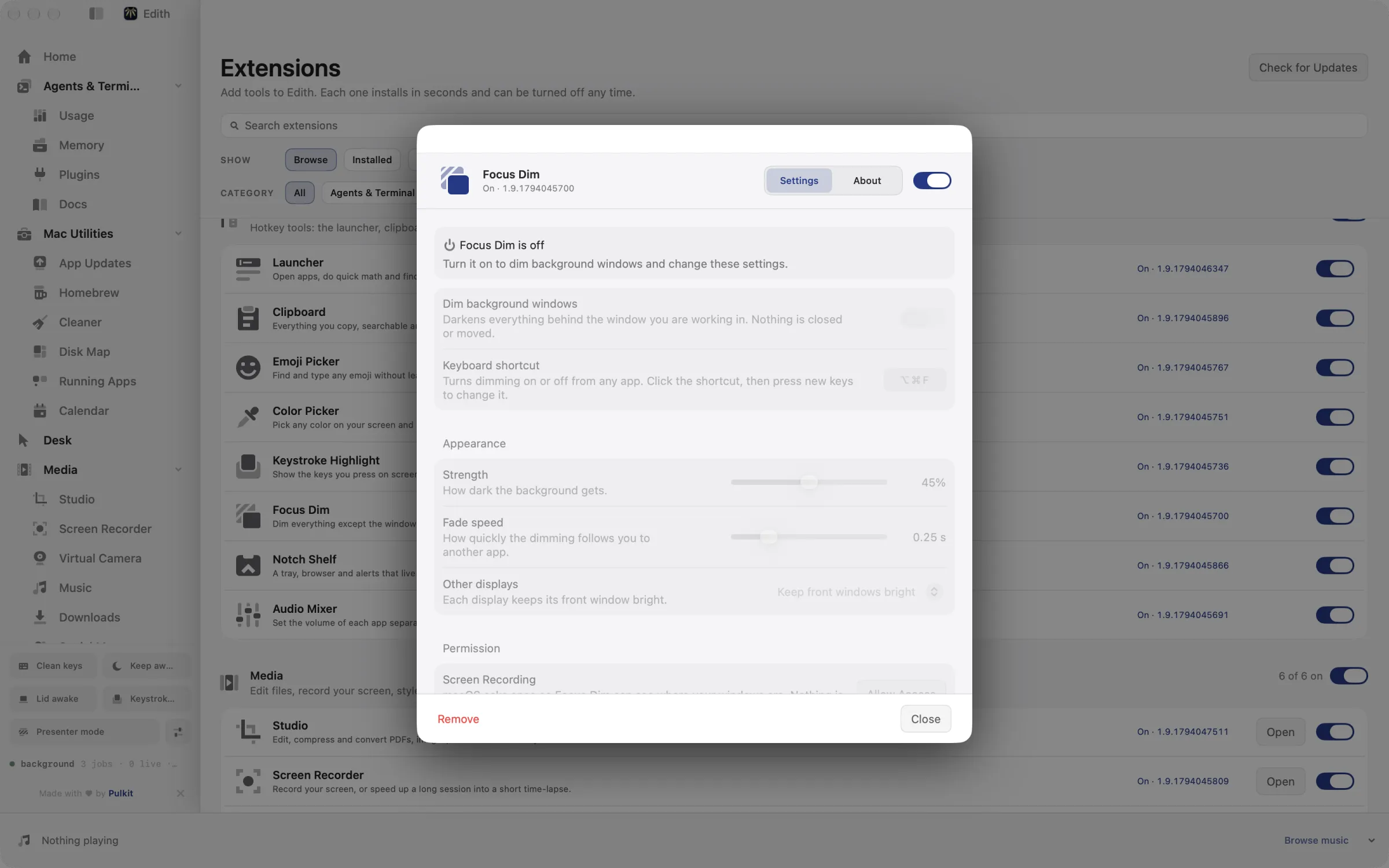
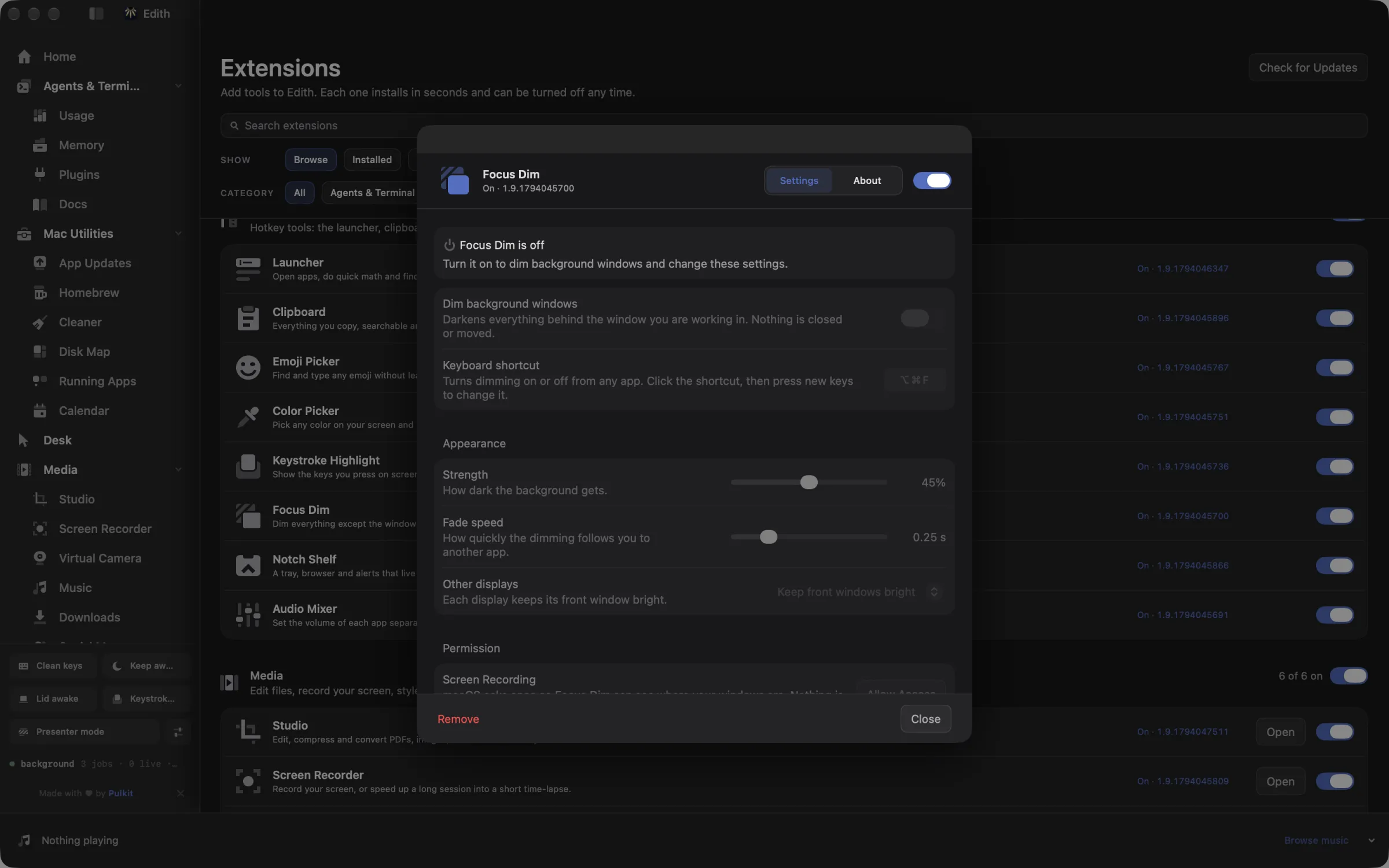
Focus Dim is an Edith extension that darkens everything behind your front window, so the window you are typing in stands out, and moves with you as you switch apps.
On a large display with a browser, chat, mail and an editor all open, your eyes keep drifting to whatever moved last. Focus Dim lays a dark layer over everything except the front window. Press ⌥⌘F and the rest of the screen fades back. Switch apps and the bright area moves to the new front window with a short fade. Press ⌥⌘F again and the screen returns to normal.
You set how dark it gets, from barely noticeable up to 90 percent, and how quickly it fades between windows, from a twentieth of a second to one second. With more than one display you choose how the others behave: each display keeps its own front window bright, or the displays you are not typing on go fully dark, which also makes it obvious where your keystrokes are going.
Focus Dim can also follow focus sessions from Attention. Turn on Dim during focus sessions and dimming starts when a session begins and stops when it ends. It asks for Screen Recording permission only to see where windows are on screen; nothing is recorded or saved. It suits writers, people on ultrawide or multi-display desks, and anyone who works with a lot of windows open at once.
Updated
How to dim background windows on Mac
- 1
Turn it on
Press ⌥⌘F or use the Dim background windows switch in settings.
- 2
Allow Screen Recording
macOS asks once so Edith can tell which windows are open. No video is saved.
- 3
Work as usual
Other windows fade back and the dimming follows the app you switch to.
- 4
Set the strength
Change how dark it gets and how fast it fades in settings.
Keyboard shortcut
| Shortcut | Action | What it does |
|---|---|---|
| ⌥⌘F | Focus dim | Toggles background-window dimming |
Works from any app. You can record a different shortcut in Edith's settings.
What it does
Dim background windows
Darken everything except the window you are working in.
⌥⌘FDoes macOS do this already?
Can macOS dim inactive windows?
Not as a setting. Focus modes silence notifications but do not change how windows look, Stage Manager moves other windows into a strip at the side, and full screen hides them on another Space. Focus Dim keeps your layout exactly as it is and only darkens what sits behind the front window, with a strength and fade speed you choose.
Use cases
Write without the inbox calling
Put your editor in front and press ⌥⌘F with the strength around 60 percent. Mail and chat stay visible but quiet, so a new message is still there when you look for it without pulling your eye every time it arrives.
See which display has your keyboard
On a desk with three displays, set Other displays to Dim them completely. The display you are working on stays lit and the others go dark, so you stop typing into a window on the wrong screen.
Dim automatically during a focus session
Start a focus session in Attention and Focus Dim switches on by itself, then off again when the session ends. You get the effect only while you meant to concentrate, without remembering a shortcut.
Point viewers at one window on a call
When you share your whole screen, dim the rest so people watching follow the window you are talking about instead of reading your other tabs.
Permissions and requirements
Permissions
- Screen Recording, so Focus Dim can see where windows are on screen. Nothing is recorded or saved
Requirements
- macOS 14 or later on Apple silicon
- The Attention extension, only if you want dimming tied to focus sessions
Frequently asked questions
How do I turn Focus Dim off quickly?
Press ⌥⌘F again, or switch off Dim background windows in Focus Dim settings. The dark layer fades out at the speed you chose, and you can record a different shortcut there too.
Why does Focus Dim need Screen Recording permission?
macOS only shares where other apps' windows are with apps that have Screen Recording access. Focus Dim uses it to find the front window's position and size so it can leave that area bright. It does not capture or store images of your screen.
Does it work with multiple monitors?
Yes. By default each display keeps its front window bright. Switch Other displays to Dim them completely and every display except the one you are using goes dark.
How dark can the background get?
Anywhere from 0 to 90 percent. The strength slider shows the value as you drag it, and the change applies right away so you can judge it against your real windows.
Does Focus Dim come with Edith?
Yes. Focus Dim is one of the Desk extensions, and the one-time Edith purchase already covers it.
Guides
Used in
More in Desk

Get Edith.
From $35 once. No subscription. No account.
Needs a license key · macOS 14 or later on Apple silicon · 6.4 MB