 Edith
Mic Mute
Mute your mic with a shortcut on Mac
Mute every microphone on your Mac with one shortcut.
Mic Mute is an Edith extension that mutes or unmutes every microphone on your Mac with ⇧⌘M or from its menu bar icon, whichever app you are in.
Every call app has its own mute button and its own shortcut, and none of them help when the call window is buried behind your editor. Mic Mute works underneath the apps. It switches on the mute control of every input device macOS knows about, or turns the input volume to zero on devices that have no mute control. Press ⇧⌘M and every app listening to a microphone, from Zoom and Meet in the browser to Teams, Slack huddles and dictation, hears silence until you press it again.
The menu bar icon is a microphone that switches to a red muted icon while you are muted, so a glance tells you whether you are live before you speak. Click it and choose Mute microphone or Unmute microphone to switch without the keyboard. On a Force Touch trackpad you also feel a short tap when the state changes. If you plug in a USB microphone or connect AirPods while muted, the new device is muted as soon as it appears, and when you unmute each device returns to the input volume it had before.
The muted state survives an Edith restart, and turning the extension off unmutes everything, so you are never left silent without knowing why. It suits anyone who takes calls in several apps in one day, people who record podcasts or voiceovers and want a quick cough button, and anyone who shares a room while working.
Updated
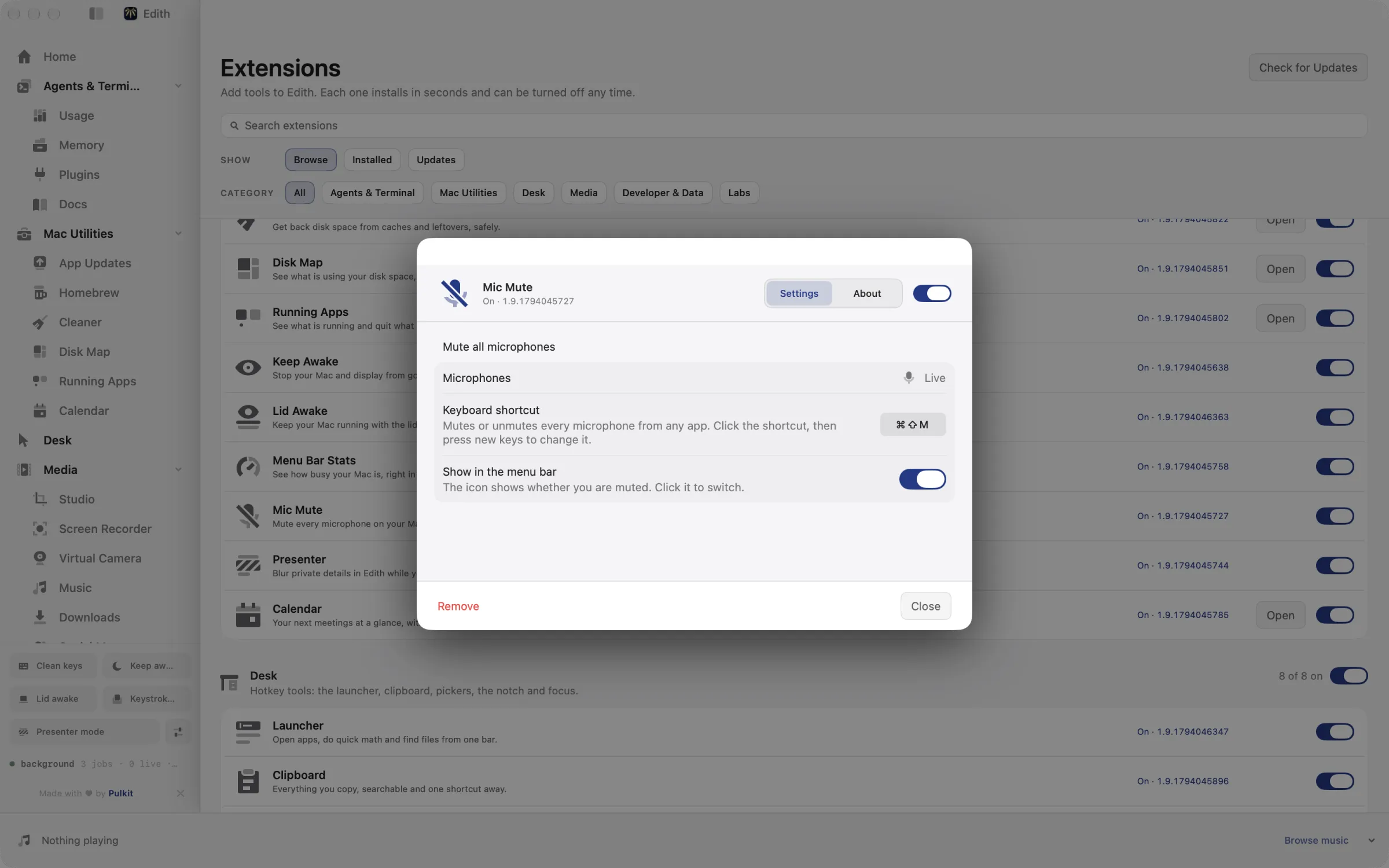
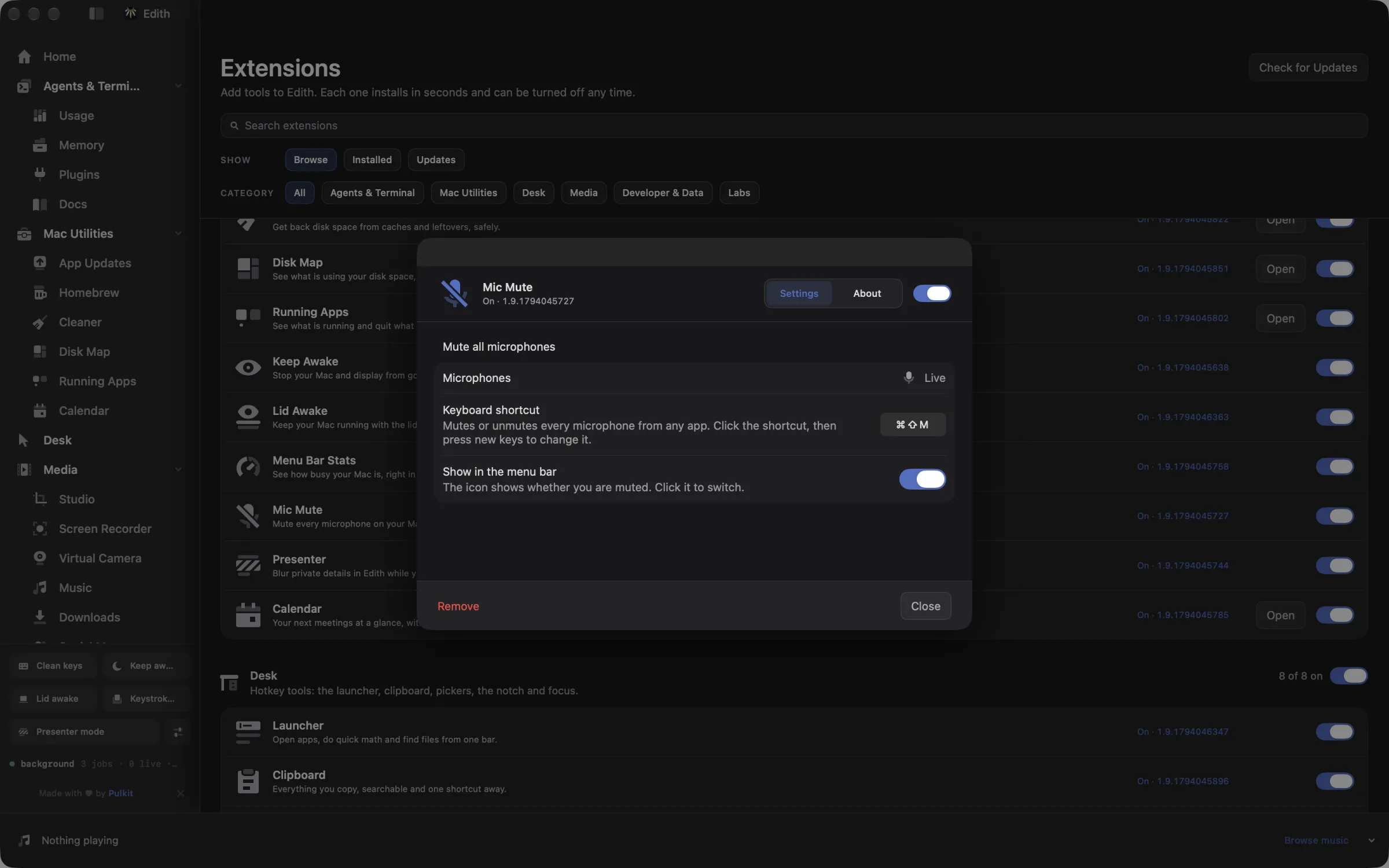
How to mute your microphone with a shortcut on Mac
- 1
Press the shortcut
Press Shift Command M in any app to mute or unmute.
- 2
Check the menu bar
The menu bar icon shows whether your microphones are muted. Click it to toggle.
- 3
Change the shortcut
Record a different shortcut in Mic Mute settings.
Keyboard shortcut
| Shortcut | Action | What it does |
|---|---|---|
| ⇧⌘M | Mic mute | Mutes or unmutes every microphone system-wide |
Works from any app. You can record a different shortcut in Edith's settings.
What it does
Mute every microphone
Turn all microphones off or on, on any call.
⇧⌘MDoes macOS do this already?
Is there a keyboard shortcut to mute the mic on a Mac?
Not system-wide. Each call app has its own, such as ⇧⌘A in Zoom, ⌘D in Google Meet and ⇧⌘M in Teams, and they work only while that app or tab is in front. You can drag the input volume down in System Settings > Sound > Input, but that takes several clicks. The orange dot in the menu bar shows that a microphone is in use, not whether you are muted. Mic Mute adds one shortcut and a clear indicator for every app.
Use cases
One shortcut for back-to-back calls
Your 10:00 is on Zoom and your 10:30 is in Google Meet. ⇧⌘M works the same in both, so you do not have to remember two shortcuts or click into the right window first.
Cough or answer the door mid-call
Press ⇧⌘M, deal with it, press it again. The red icon in the menu bar confirms you are muted without bringing the call window to the front.
Switch headsets without going live
Muted on the built-in mic and moving to AirPods partway through a call? The AirPods microphone is muted the moment it connects, so nobody hears you fumbling with the case.
Step away with every mic off
Mute before you leave your desk. Any app that records from a microphone gets silence until you come back and unmute, whatever it was doing.
Permissions and requirements
Permissions
- None. Mic Mute changes the mute and input volume controls of your audio devices and never records audio, so macOS does not ask for Microphone access
Requirements
- macOS 14 or later on Apple silicon
- Input devices that expose a mute or input volume control; if one cannot be changed, Mic Mute tells you
Frequently asked questions
Does Mic Mute work in Zoom, Google Meet and Teams?
Yes, and in any other app, because it mutes the microphones themselves rather than pressing an app's mute button. The call app may still show you as unmuted, but it receives silence.
How do I know if my mic is muted?
Look at the Mic Mute icon in the menu bar: it turns red and shows a muted microphone while you are muted. You can hide the icon in settings if you only want the shortcut.
What happens if I connect a new microphone while muted?
It is muted as soon as macOS sees it. Mic Mute watches for audio devices being added, so a headset or USB mic you plug in mid-call does not open you up.
What if ⇧⌘M clashes with another app?
Record a different shortcut in Mic Mute settings. Teams, for example, uses ⇧⌘M for its own mute, so you may prefer a combination no app on your Mac uses.
Does muting change my input volume?
Only on devices without a mute control, where Mic Mute sets the input volume to zero. It remembers each device's level and puts it back exactly when you unmute.
Is Mic Mute part of Edith or a separate app?
It is part of Edith. Mic Mute has no price of its own; it is one of the utilities you get when you buy Edith once.
More in Mac Utilities

Get Edith.
From $35 once. No subscription. No account.
Needs a license key · macOS 14 or later on Apple silicon · 6.4 MB